Video Ad Styles: 100 Looks, and Each Video in Its Own
A video ad's style is how it is drawn and moved, whatever it says: whiteboard, kinetic type, comic book, isometric 3D. 10xvid has a hundred of them in ten families. You can now pick one from any chat, and ask for several videos, each made in a style of its own.12
 100 video ad styles
In short
- A hundred styles, ten families: Hand drawn, Flat, Type, Cartoon, Craft, 3D, Screen, Photo, Art and Abstract.1
- Or your own: your site's own design is a choice too.2
- From any chat: the + menu's "Choose a style" opens every style; the one you pick rides with your next message.1
- Each video its own: ask for several videos in different styles, and each is made in its own.1
- For a blueprint: a new blueprint can start from a style.1
What is a video ad style?
The look, separate from the words. The app shows each style on the same mug, so what differs between two pictures is the style and nothing else:1
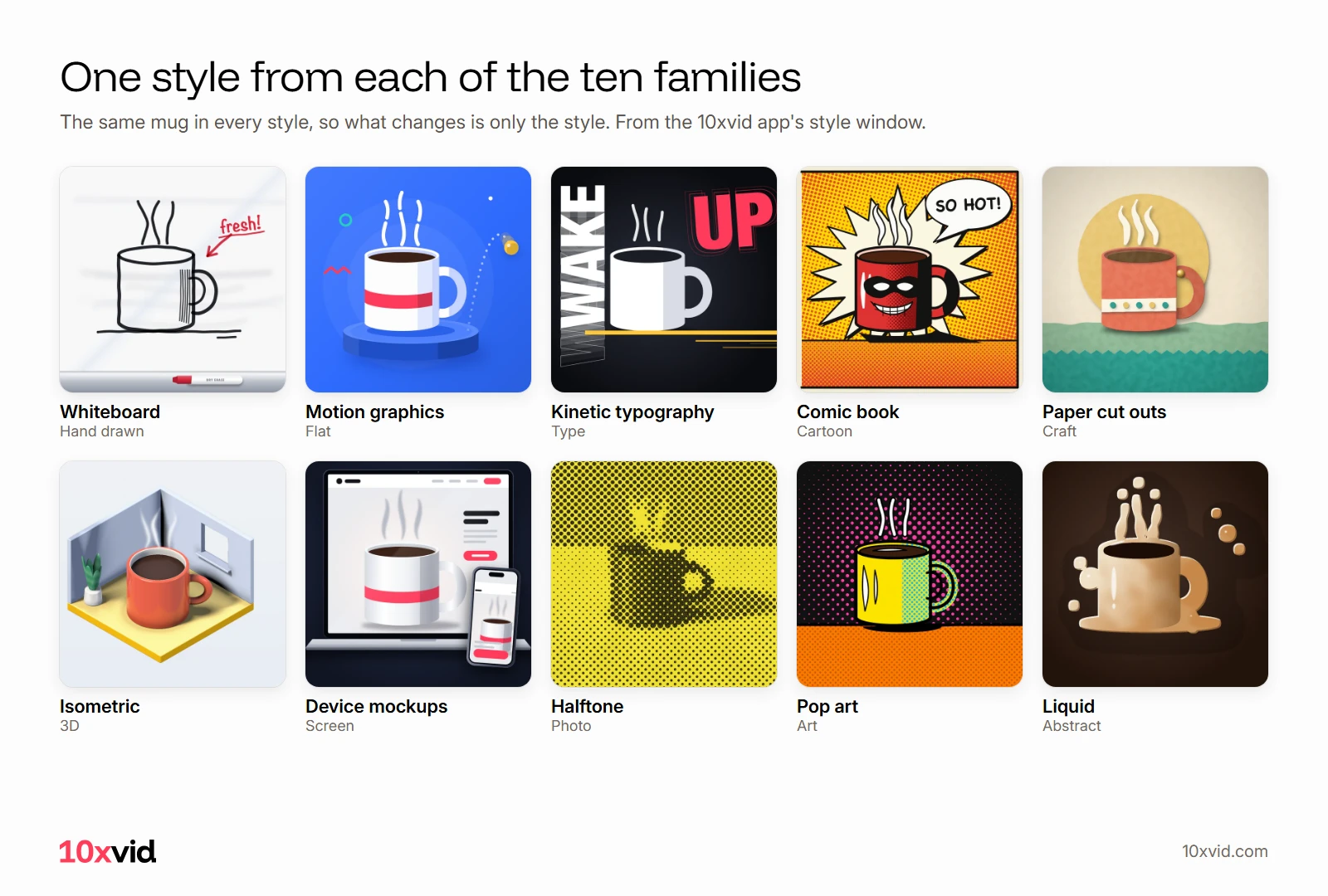
The same app, the same message, in a different style, is a different ad to the person scrolling.
Why make ads in different styles?
Because the networks ask for ads that are really different. TikTok: "it is always better to use creatives with big differences, especially when testing."3 When an ad tires, Meta's fix is a new one "materially different from the original creative".4 And for app campaigns, Meta suggests "changing your ad creative 2-4 times per month".5
A new style is the biggest change you can make while keeping what the ad says. For how to run the test, see creative testing.
Which styles are there?
Ten families of ten or so, each with a line on how it looks:1
- Hand drawn: whiteboard, chalkboard, pencil sketch, ink and brush, watercolour.
- Flat: motion graphics, infographic, line icons, geometric, gradients.
- Type: kinetic typography, typewriter, hand lettering, brutalist, Swiss grid.
- Cartoon: cartoon, old cartoon, anime, comic book, manga.
- Craft: paper cut outs, collage, stop motion, clay, origami.
- 3D: 3D animation, 3D product, low poly, isometric, voxel.
- Screen: screen recording, device mockups, terminal, pixel art, glitch.
- Photo: moving photos, photo cut outs, halftone, double exposure, film noir.
- Art: art deco, Bauhaus, pop art, seventies, bold poster.
- Abstract: liquid, particles, ink in water, paint strokes, kaleidoscope.
How do you pick a style?
In the style window. Find a style by name, filter by family, and sort by the most popular or by family:1
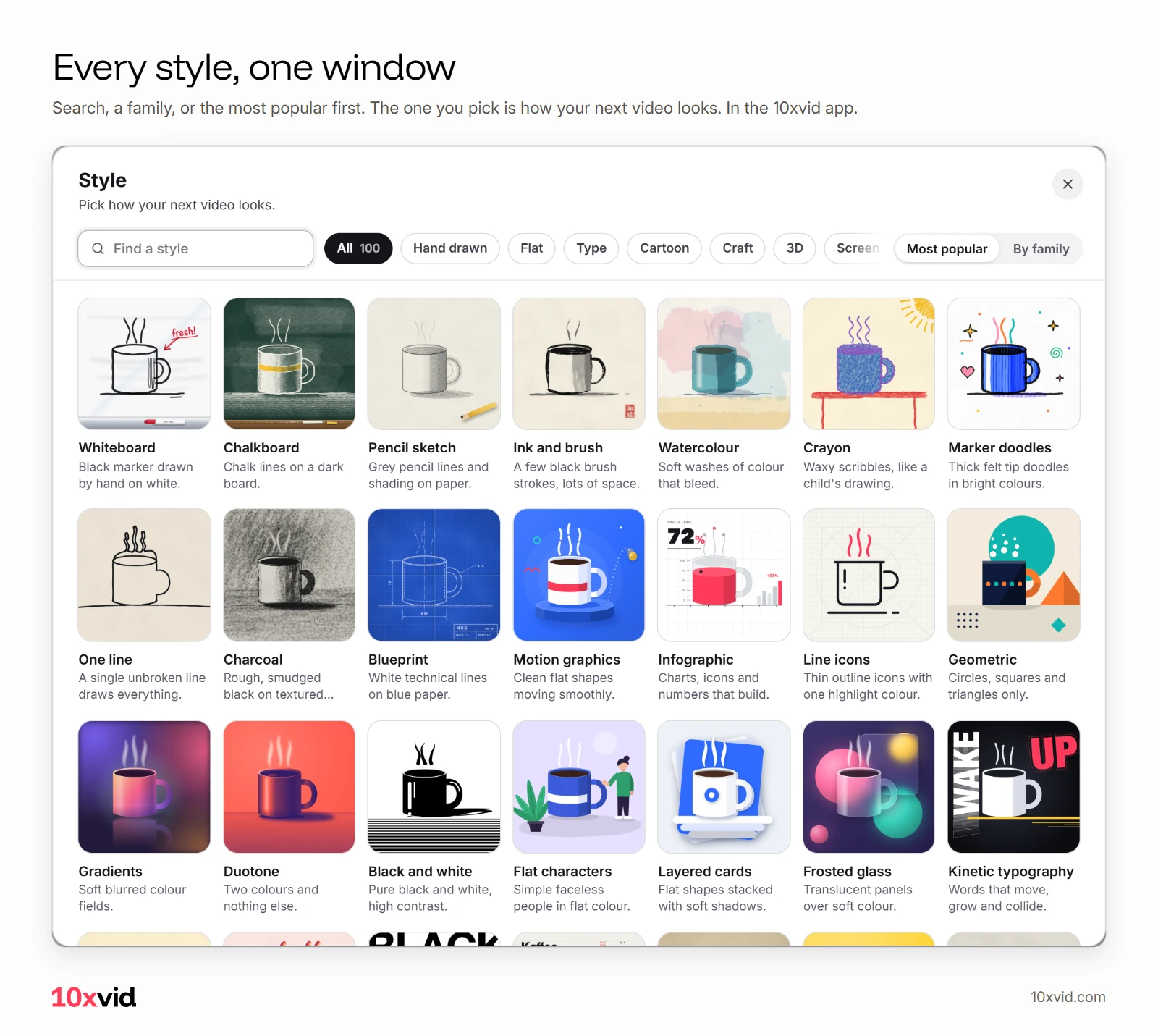
It opens from three places: the "Start in a style" row on the home screen, the Style card of a blueprint, and any chat's + menu.1
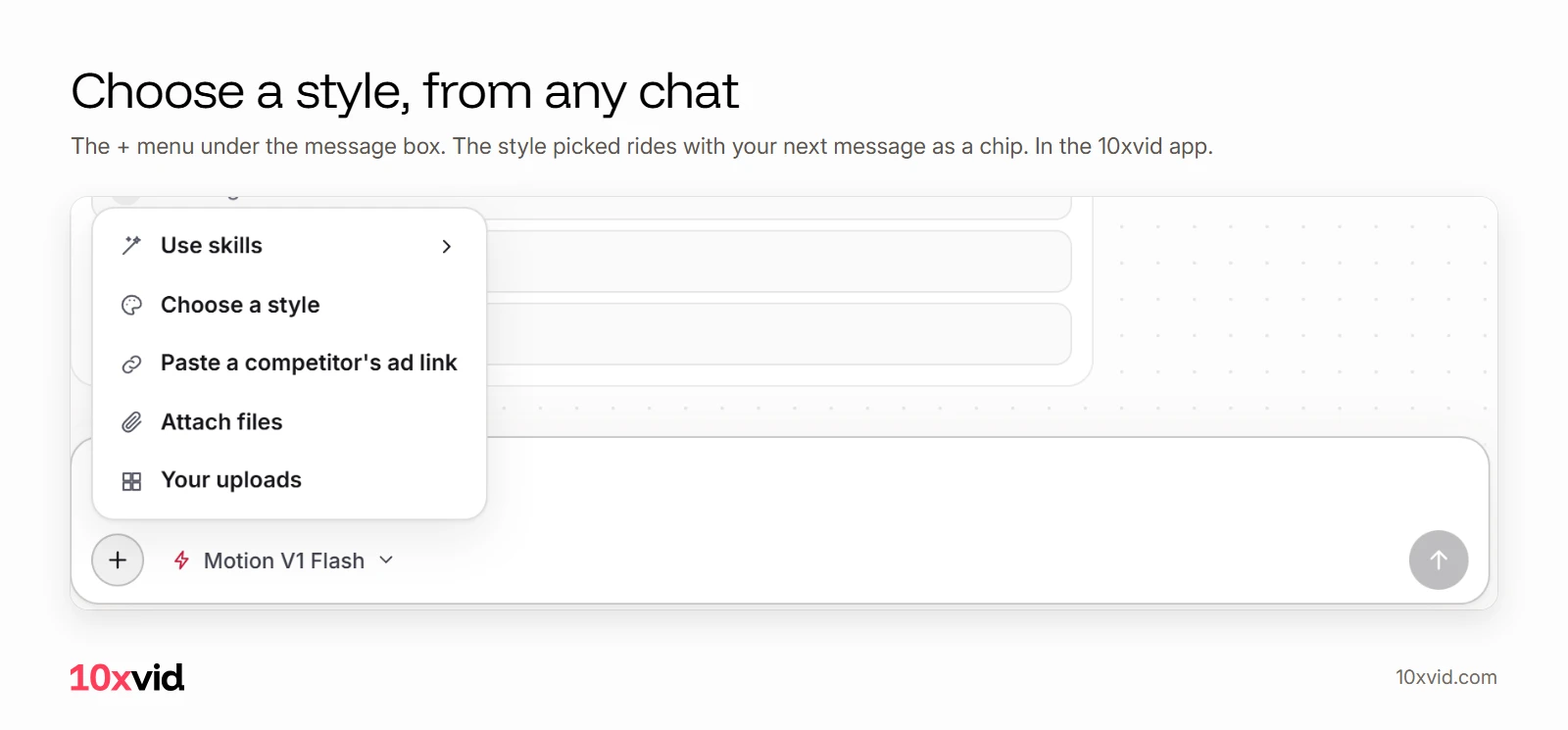
In a chat, the style you pick is a chip above your words. It goes with your next message as the style for the next video.1
Can each video be made in a different style?
Yes. Ask in the chat for several videos, each in a different style, and each is its own run with its own style. Its session, its judge and its music read that style over the project's own look.1 The project's notes and look stay as they were for the videos after.1
Can a blueprint start from a style?
Yes. "Create new blueprint" offers three starts: Blank, described in your words; From a style; or one of the project's finished ads.1 More in video ad templates.
Where 10xvid fits
10xvid, motion graphics ads for apps, makes each style from your own site: your real screens and your words. Paste your App Store link or website into the chat, pick a style, and the ad comes in 9:16, 1:1 and 16:9.2
Paste your link and make your first ad.
Questions about video ad styles
How many video ad styles does 10xvid have?
A hundred, in ten families, and your site's own design.12
Can I change the style of an ad I already made?
Yes. Pick a style from the chat's + menu, and ask for a new version: the next video is made in it.1
Which style works best for an app ad?
The one you test against others. TikTok advises creatives with big differences when testing.3
Can I use my own brand's look instead of a style?
Yes. Your site's own design is one of the choices, set on the ad's blueprint.2
- The 10xvid app, its styles and its chat, as of 28 October 2026. ↩
- 10xvid.com/engine, read on 28 October 2026. ↩
- TikTok Ads Manager help, "Creative best practices for performance ads" (ads.tiktok.com/help/article/creative-best-practices), read on 26 October 2026. ↩
- Meta Business Help Center, creative limited and creative fatigue (facebook.com/business/help/1346816142327858), read on 26 October 2026. ↩
- Meta Business Help Center, Advantage+ app campaigns (facebook.com/business/help/716015512512235), read on 26 October 2026. ↩