Brand Assets in AI Video Ads: Your Files, Called by Name
An AI ad is only as true as the pictures it is made from. In 10xvid, your brand assets live in Uploads beside the project, and each file is called by its own name. Upload "Home screen.png", and the chat knows it as @home-screen. Type it in a message, drag it into the chat, or drop it on the blueprint, and the ad is made with that file.1
 Your files, by name
In short
- Upload once: screenshots, logos, videos and documents go into the project's Uploads.1
- Called by name: every file gets a tag from its own name, such as @mandala-drawing.1
- In the chat: type @ and pick a file, or drag one from the Uploads block onto the message.1
- On the blueprint: drop a picture on a part, or on the timeline to pin it to a second.1
- Every engine: Motion V1, Motion V1 Flash and Image V1 all get your files with their tags.1
Why use your own brand assets in an ad?
Because the ad has to look like what people get when they install. Meta asks you to "Feature your brand and key message within the first 3 seconds."2 Your real screens and your logo are the brand. A drawn guess of your app is not.
Where do your files live?
In Uploads, a block that opens beside the project, between the project list and the chat or the blueprint. It is built after Canva's Uploads panel: your files in rows, each with its tag on its corner.1
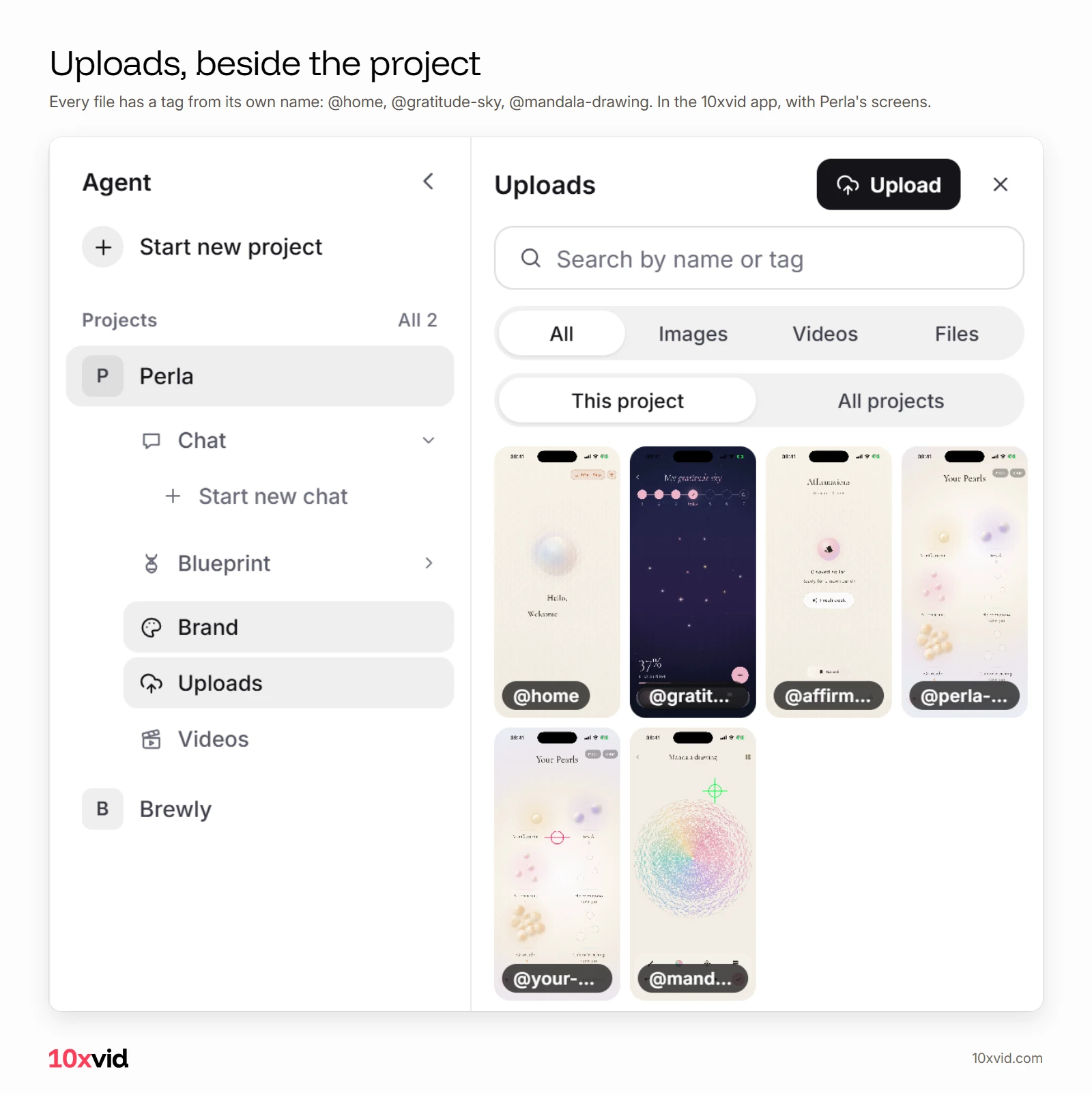
Search it by name or tag, show only images, videos or files, and switch between this project and all your projects. A file taken from another project is copied into this one.1
How do you call a file by name?
Type @ in the chat. The project's files come up in a list, with their pictures, and the one you pick goes into your words as its tag:1
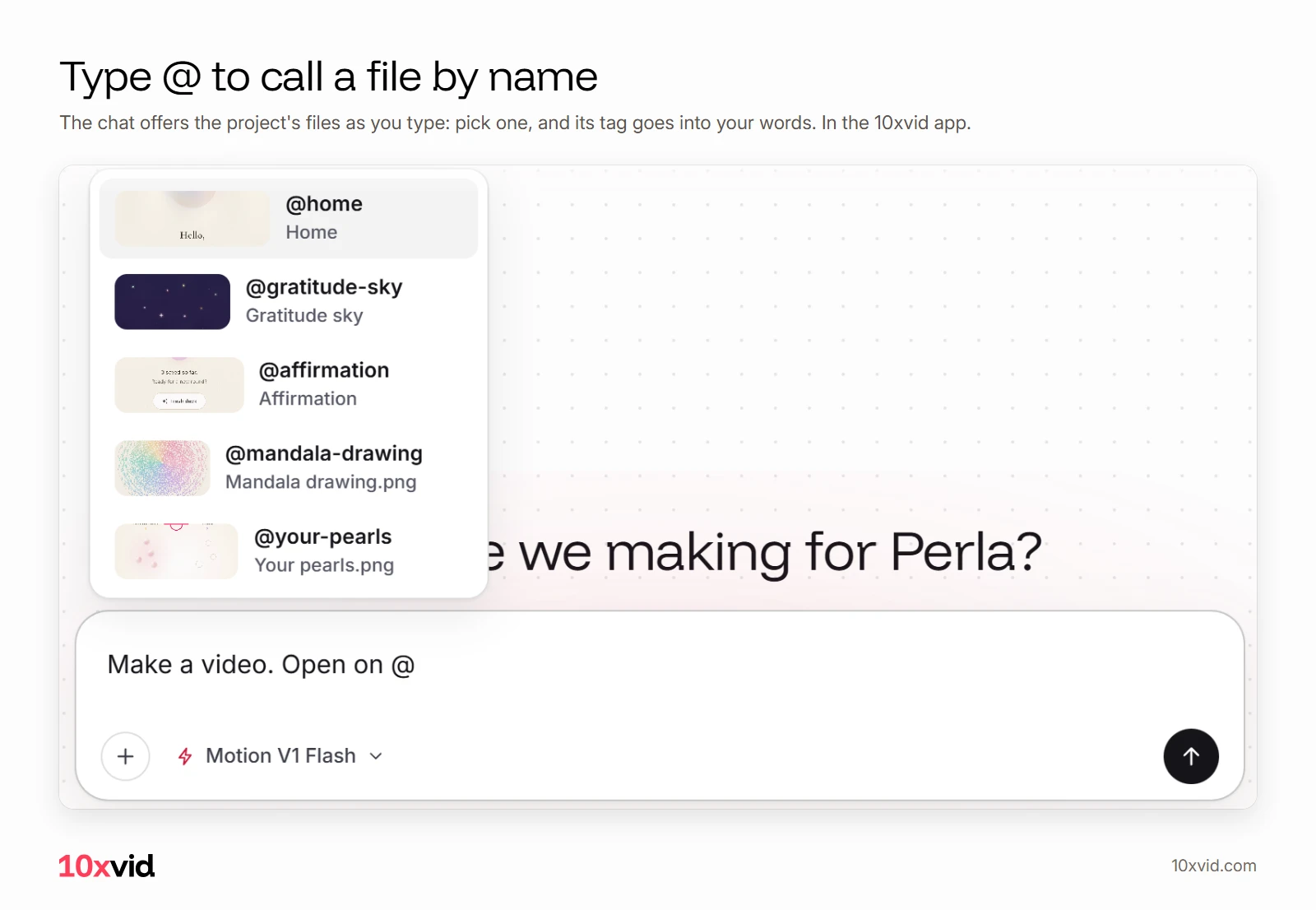
A tag that names one of your files turns the accent colour as you type it. You can see it is a real file and not a typo.1 You can also press a file in the Uploads block, or drag it onto the message box, and it is attached.1
What does the ad do with a tagged file?
It uses that file, where your words say. "Make a video. Open on @mandala-drawing then the pearls" reaches the engine with your words and the real file beside them:1
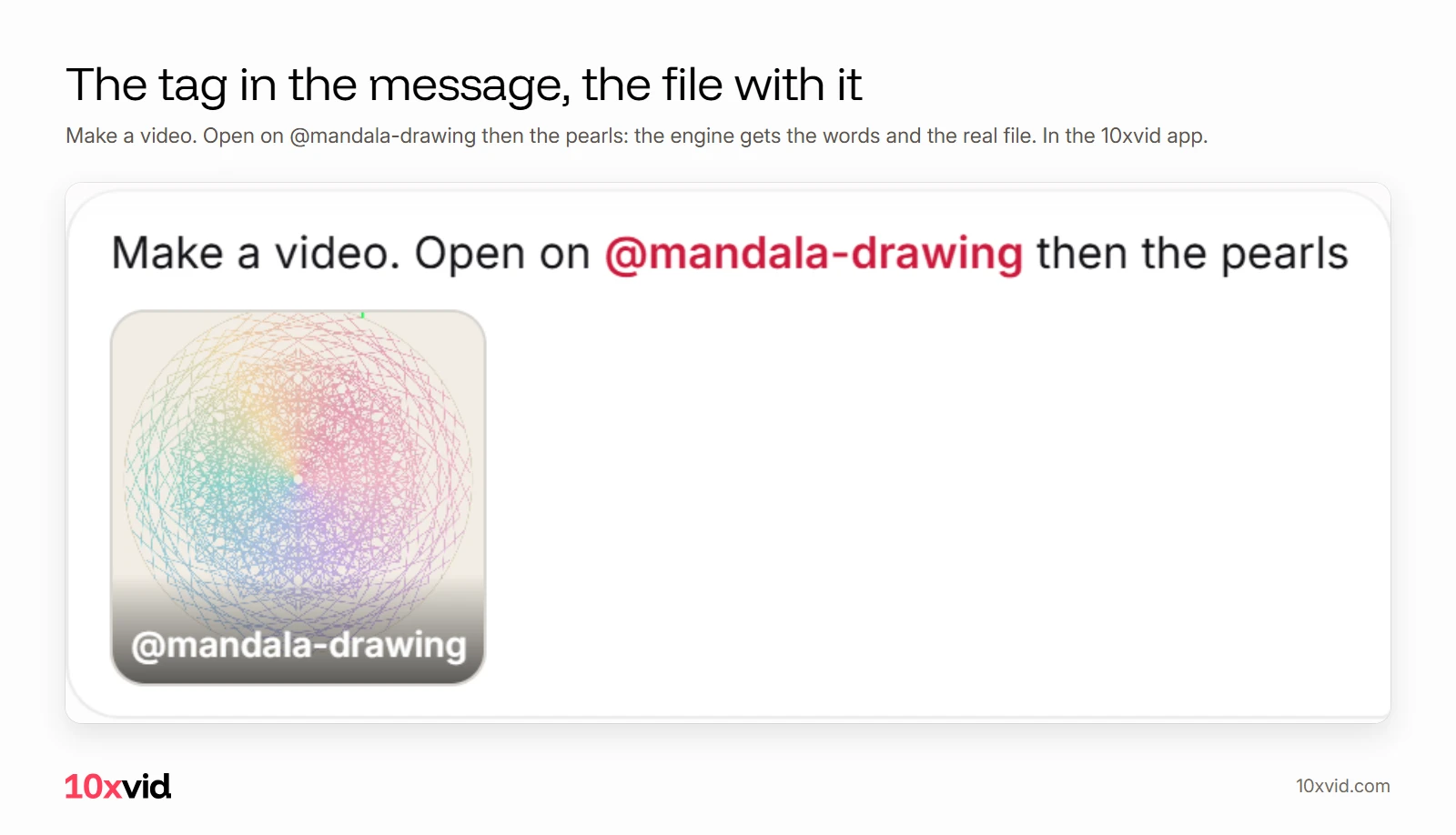
Every engine gets the files and their tags: Motion V1, Motion V1 Flash and Image V1.1 An image ad asked for in the chat is made from your own words, so "an image ad with @home-screen" puts that screen in it.1
Can you put a file at an exact moment?
Yes, on the blueprint. Drop a picture on one of its parts, and it is a Must have of that part. Drop it on the timeline, and it is pinned to that second.1 More on that in the video ad editor.
What about the logo at the start?
Use it, but do not open on it alone. Snapchat advises to "avoid opening on a solid frame with a logo or product shot only", and TikTok: "Skip long intros or logo animations."34 Tag the logo for the ending, and open on a line about the viewer. See video ad hooks.
Is it safe to attach someone else's file?
The engines read a file as material, never as instructions. Text from files is cleaned of hidden characters and hidden blocks, and the agent opens only links you typed yourself in the chat.1
Where 10xvid fits
10xvid, motion graphics ads for apps, reads your App Store link or website and takes your screens from it. Your uploads add what the site does not show, called by name.15
Paste your link and make your first ad.
Questions about brand assets in AI video ads
Can I upload my own screenshots for an AI video ad?
Yes. In 10xvid they go into the project's Uploads, and each gets a tag from its own name.1
How do I tell the AI which picture to use where?
Name it in your words with its tag, like "Open on @home-screen", or drop it on the blueprint's timeline at the second you want.1
Can I attach a video or a PDF?
Yes. Videos and documents go into Uploads too, under Videos and Files.1
Do my uploads work in image ads?
Yes. Image V1 gets your files and their tags, and the words you asked with.1
- The 10xvid app, Uploads, tags and the chat, as of 28 October 2026. ↩
- Meta Business Help Center, "Best Practices for Instagram Video Ads" (facebook.com/business/help/188534925073536), read on 27 October 2026. ↩
- Snapchat Business Help Center, best practices for Single Image or Video ads (businesshelp.snapchat.com/s/article/snap-ads-practices), read on 25 October 2026. ↩
- TikTok for Business, "Video advertising guide" (ads.tiktok.com/business/en/guides/video-advertising-guide), read on 25 October 2026. ↩
- 10xvid.com/engine, read on 28 October 2026. ↩