Video Ad Editor: Plan Every Second of an AI Ad on a Timeline
An AI ad maker usually hands you a finished video, and changing one second means asking again. The 10xvid blueprint now has a timeline under it, so you set the seconds before the ad is made. You choose what each part shows, which of your files lands when, the notes, the music and the pace. The videos made from the blueprint follow it.12
 The blueprint timeline
In short
- Where: under every blueprint's map, in the 10xvid app, new on 28 October 2026.1
- Tracks: Notes, Picture, Media and Music, like an editor's, with the plan drawn in a preview beside them.1
- Cut and prompt: cut a part at the playhead, drag its edges, and write what it shows and how it happens.1
- Pin your files: drop a picture from your Uploads on the tracks, and it is pinned to that second.1
- Pace: under Advanced, curves for excitement, the pace of cuts, the music's energy and the volume.1
What is a video ad timeline?
The ad laid out in time, part by part. The blueprint above it says what the ad is. Who it is for, the hook, the story, the look and the sound are each a card you can change.2
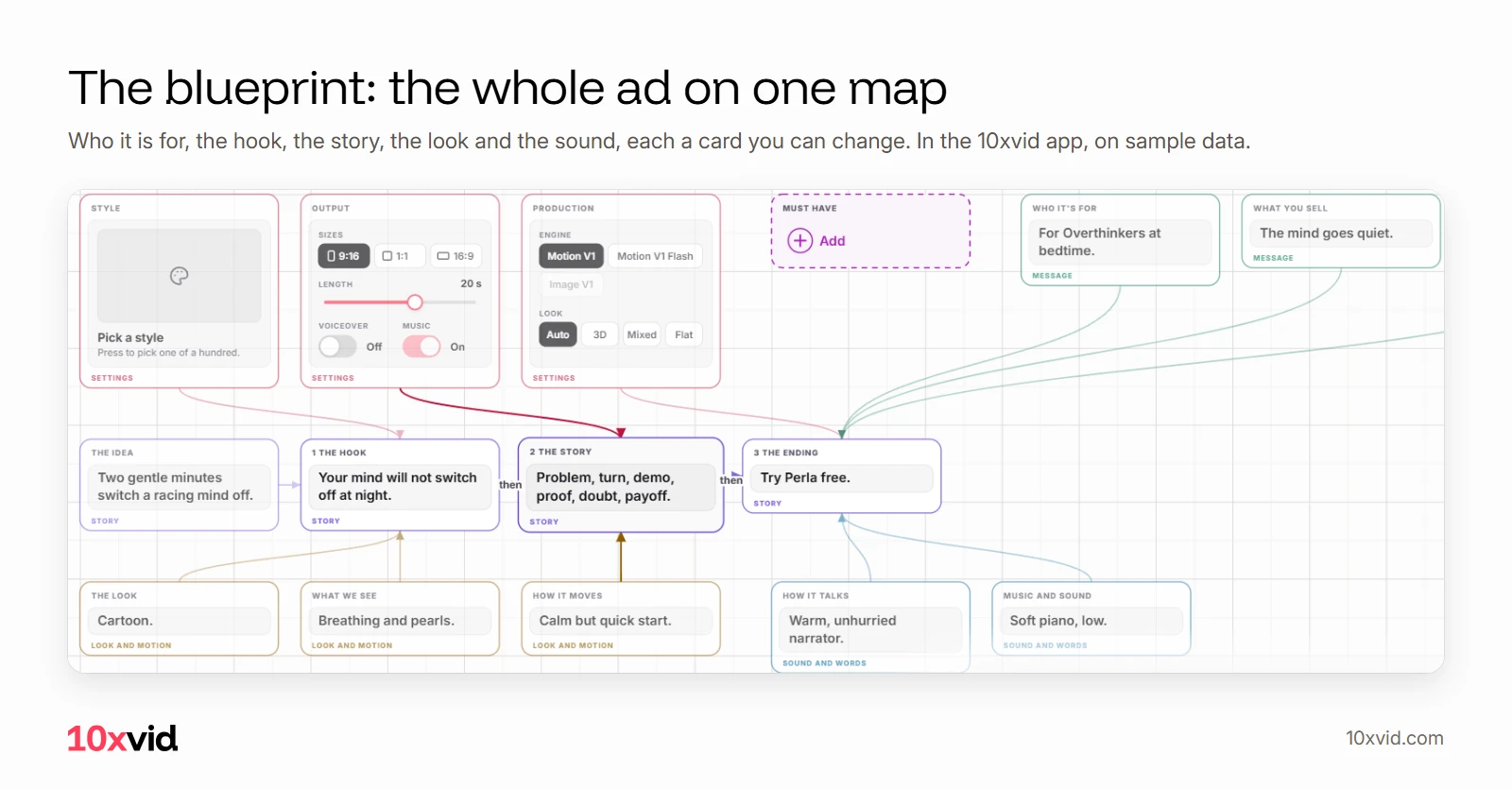
The timeline under it says when. It runs the length of the ad, with a playhead you move and a preview that draws the moment the playhead is on.1
What can you change on the timeline?
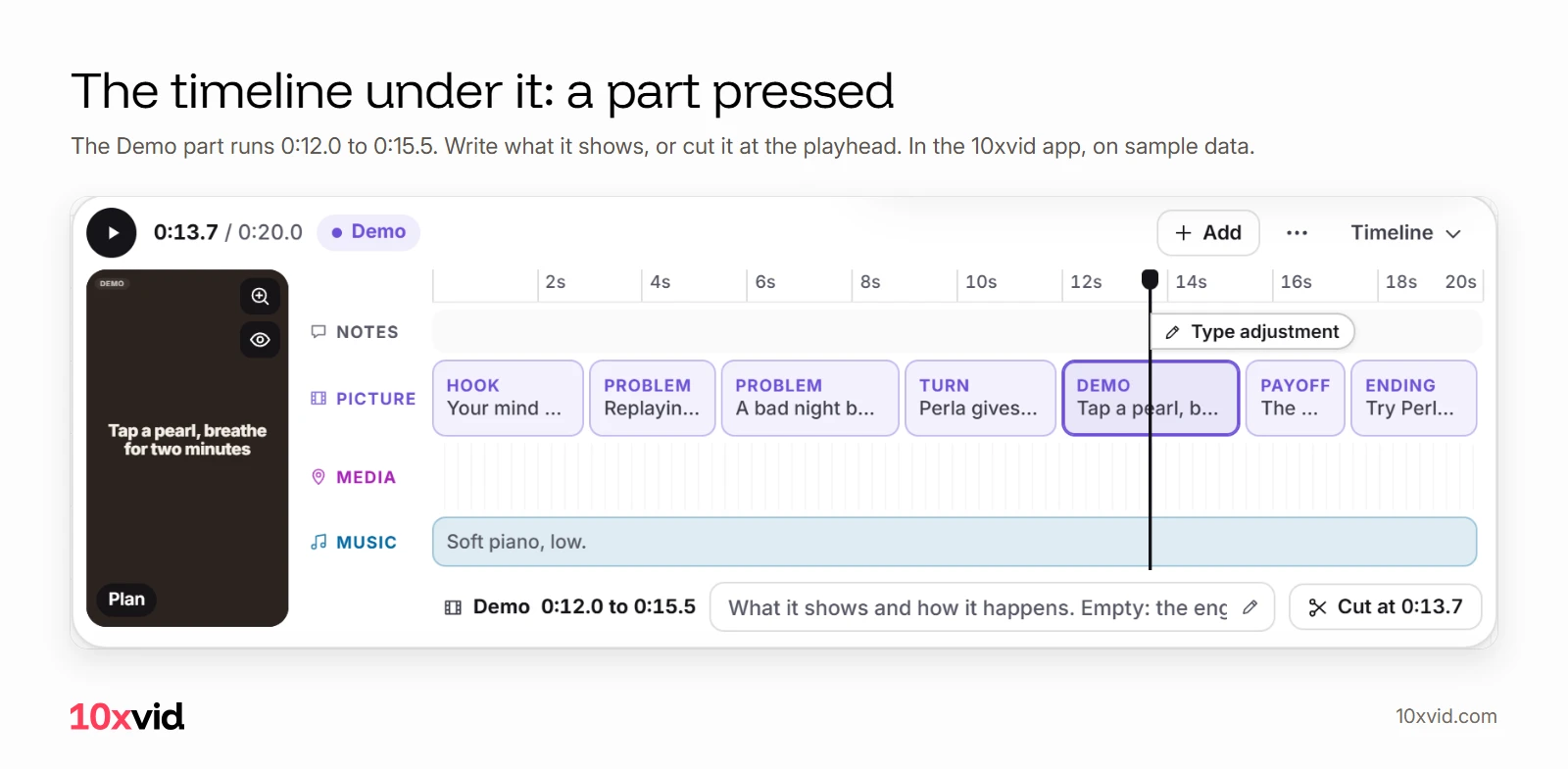
Four tracks, each named at the left:
- Notes: words kept at a second, like a comment on a track. "Type adjustment" floats at the playhead.1
- Picture: the parts of the plan in order, such as Hook, Problem, Turn, Demo, Payoff and Ending. Cut one with S or "Cut at", drag its edges, and write what it shows and how it happens. Left empty, the engine decides.1
- Media: your Must haves, each pinned to a second, with a small pen for how it is built in.1
- Music: its parts, cut, resized and prompted as the picture's are.1
Changes are kept at once, with no update to press, and Cmd+Z takes one back.1
Why plan the seconds of a video ad?
Because the networks judge an ad by its first seconds, and each has its own clock. TikTok: "Introduce your content proposition in the first 3 seconds".3 Meta: "Feature your brand and key message within the first 3 seconds."4 Google: "Captivate people in the first 5-10 seconds of the ad with a problem statement".5
On the timeline, the hook's part sits where you can see it. Drag its edge, and the hook ends at the second you chose.
How do you put your own pictures at a second?
Drop them on the tracks. A picture from the Uploads block, dropped on the timeline, is a Must have pinned where it lands. A Must have card dragged down from the map is pinned there too.1 Every upload has a tag from its own name, so you can find the right one by name: see brand assets in AI video ads.
The video's session gets the pin with its second and the part playing then, and builds the picture into that moment.1
What do the curves under Advanced do?
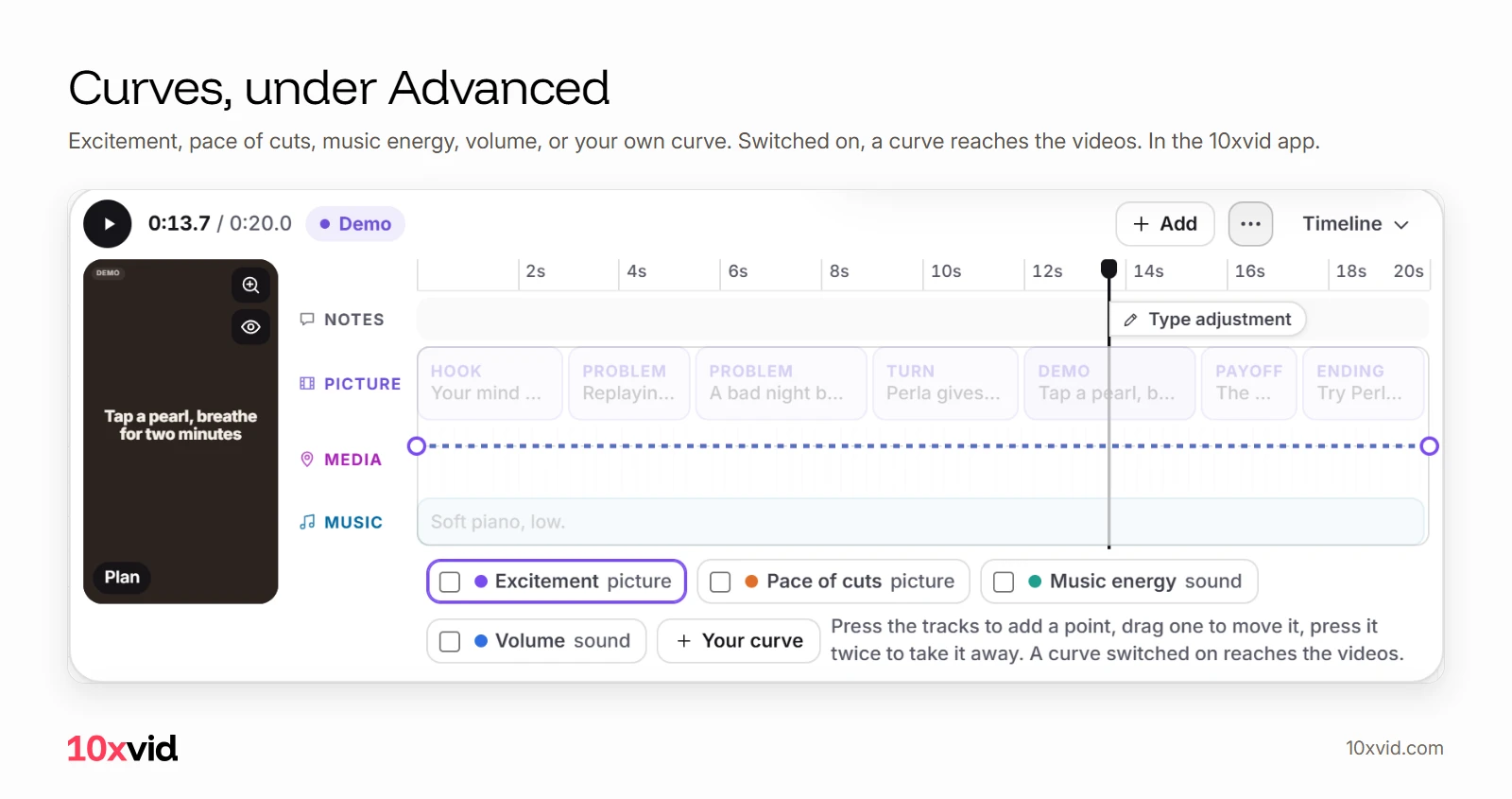
They set how the ad feels over time. Curves sits under the timeline's "more" menu. It draws a line over the tracks for excitement, the pace of cuts, the music's energy, the volume, or a curve you name. Press the tracks to add a point and drag it to move it. Only a curve switched on reaches the videos.1
Does the timeline change the finished video?
Yes. The timeline reaches each video's session as part of its brief. Its seconds win over the blueprint's own timings, while the blueprint's words, look and sound stay. Its music parts and sound curves reach the music and the judge.1
And the blueprint stays yours to change while videos are made: each video is made from the version of the blueprint it was started from.1 Image ads leave the timeline out; they have no seconds.1
Where 10xvid fits
10xvid, motion graphics ads for apps, writes the blueprint from your link. Paste your App Store link or website into the chat, and it reads your site and lays the ad out.2 Then the timeline is yours, in 9:16, 1:1 and 16:9, 5 to 30 seconds.2
Paste your link and make your first ad. For what goes in the first second, see video ad hooks.
Questions about the video ad timeline
Can I edit an AI video ad before it is made?
Yes, in 10xvid: the blueprint and its timeline are the plan, and each video is made from it.21
Can I put my logo or a screenshot at an exact second?
Yes. Drop it from your Uploads on the timeline, and it is pinned to that second.1
Do I have to use the timeline?
No. Left as it is, the blueprint's own plan sets the seconds, and the engine decides each part you leave empty.1
Does the timeline work for image ads?
No. An image ad has no seconds, so its brief leaves the timeline out.1
- The 10xvid app, the blueprint's timeline and how the engines read it, as of 28 October 2026. ↩
- 10xvid.com/engine, read on 28 October 2026. ↩
- TikTok Ads Manager help, "Creative best practices for performance ads" (ads.tiktok.com/help/article/creative-best-practices), read on 27 October 2026. ↩
- Meta Business Help Center, "Best Practices for Instagram Video Ads" (facebook.com/business/help/188534925073536), read on 27 October 2026. ↩
- Google Ads Help, video campaigns optimized for conversions (support.google.com/google-ads/answer/9424882), read on 25 October 2026. ↩