Meta Ad Library: How to Research the Ads Your Rivals Run
The Meta Ad Library is a free, public list of the ads running on Facebook, Instagram and Meta's other apps. "The Ad Library contains all active ads that are shown across Meta technologies", and anyone can search it, with or without an account.12
 Meta Ad Library
In short
- What it shows: every active ad, the day it started, where it may run, and whether it has several versions.13
- What it hides: spend and results for ordinary ads. Political ads show spend ranges; ads shown in the EU show reach and targeting.1
- How to search: "To find an ad, search for keywords or an advertiser", then filter by platform, media type, active status and dates.23
- What to do with it: write down each ad's first line, proof, offer, ask and shape. Then make your own from your own product.
What is the Meta Ad Library?
Meta's record of the ads on its apps, made for transparency. Meta's help page: "People can use it to get more information about the ads they see across Meta technologies."1
It is open: "Anyone can explore the Ad Library, with or without a Facebook account."2 New ads show up fast: "An ad will appear in the Ad Library within 24 hours of the time it gets its first impression."2
Which ads can you see in the Ad Library?
It depends on the kind of ad and where it ran:
| Kind of ad | What you can see | How long |
|---|---|---|
| Any ad, anywhere | While it is active4 | Until it stops |
| Ads shown in the EU | Active and inactive, with reach and targeting1 | "one year after their last impression is delivered"1 |
| Social issues, elections or politics | Active and inactive, with spend and impression ranges1 | 7 years1 |
So for most rivals outside the EU, you see what they run today, not what they ran last month.
How do you search the Meta Ad Library?
Pick a country, pick "All ads", then type a keyword or an advertiser's name.4 Results are grouped by advertiser: "Ads are run by Facebook Pages, which means that your search results will be grouped by Pages."4
Then narrow it. The live filters, read on 25 October 2026, are language, advertiser, platform, media type, active status and impressions by date.3 The video filter searches the words too: "Keyword within video transcript or ad copy".3 You can sort by impressions, high to low, or by most recent.3
You can save a search as a file, but "you must be logged in to Facebook and agree to the Terms of Service".1
What does an Ad Library entry tell you?
More than the ad itself:
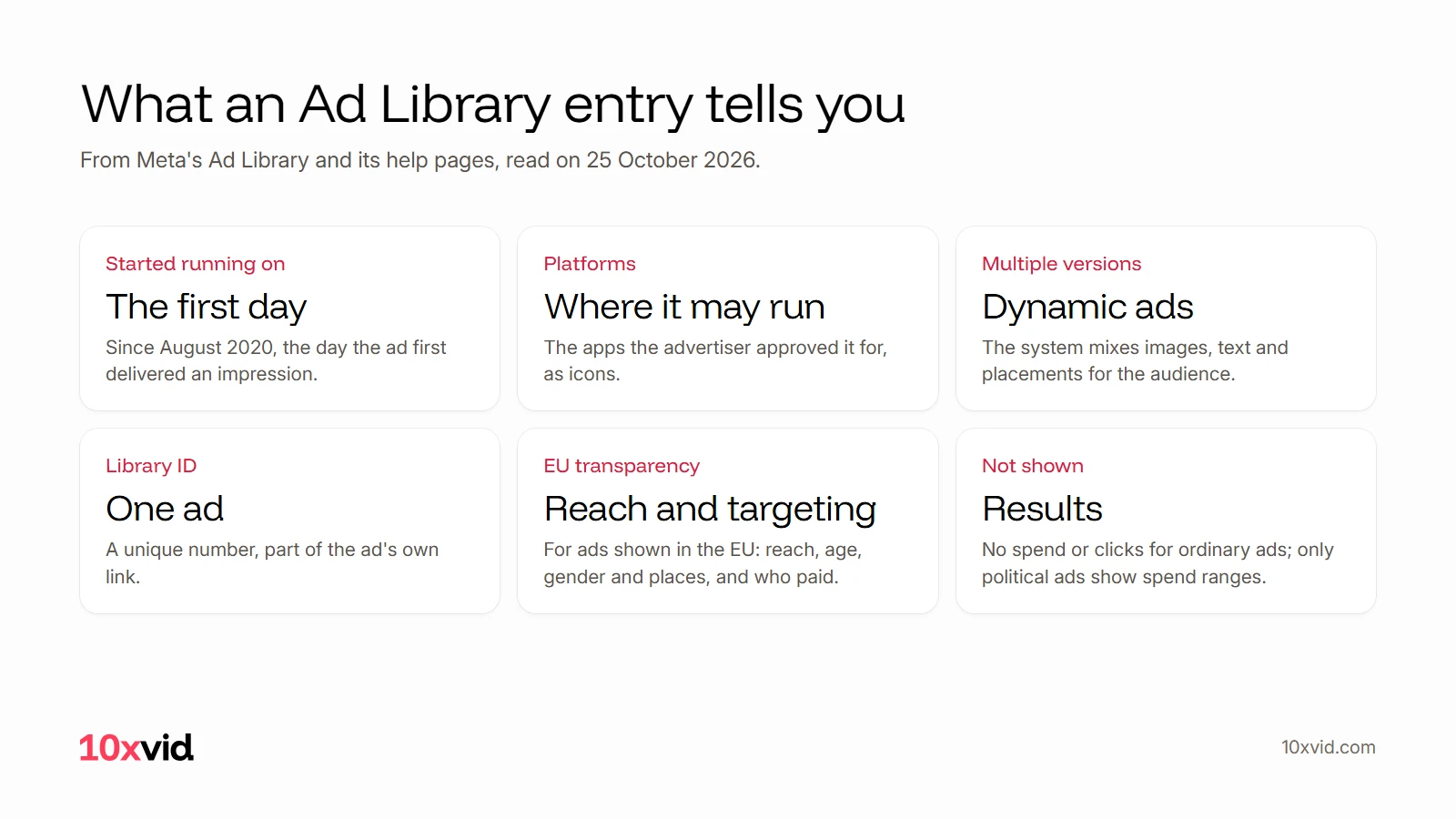
- Started running on: "As of August 2020, ad start dates are generated when an ad first delivers an impression."5
- Platforms: the icons show where the advertiser approved it to run, "As of October 2019".3
- Multiple versions: "This ad uses one of our dynamic products", where Meta's system mixes the images and text for the audience.3
- EU transparency: for ads shown in the EU, "Total reach of the ad" and "Targeting choices made by advertisers at the ad level, including age, gender, location targeting criteria".1
What it does not show is how well an ad worked. For ordinary ads there is no spend, no clicks and no sales.1
How do you research a rival's ads?
Search each rival by name, filter to active video ads, and sort by most recent. For each ad, write down six things:
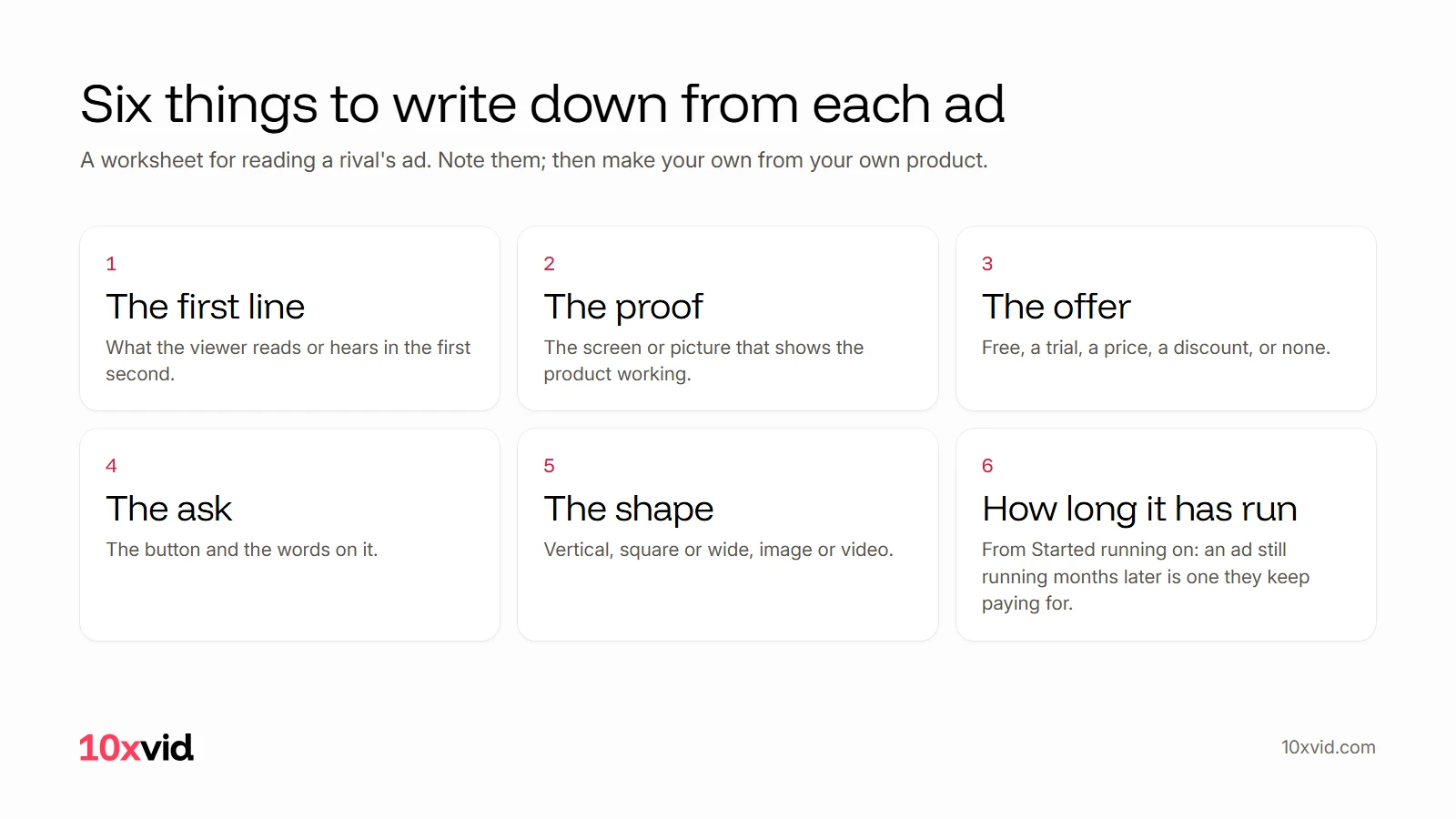
The start date is the closest thing to a result you will find. An ad still running months after it started is one the advertiser keeps paying for. Look for the ideas that repeat across rivals, and for the ones nobody uses yet.
How do you turn what you found into your own ad?
Take the structure, never the ad. Another company's words, pictures and film are theirs. What you can use is the pattern: where the first line sits, what kind of proof they show, how they make the offer.
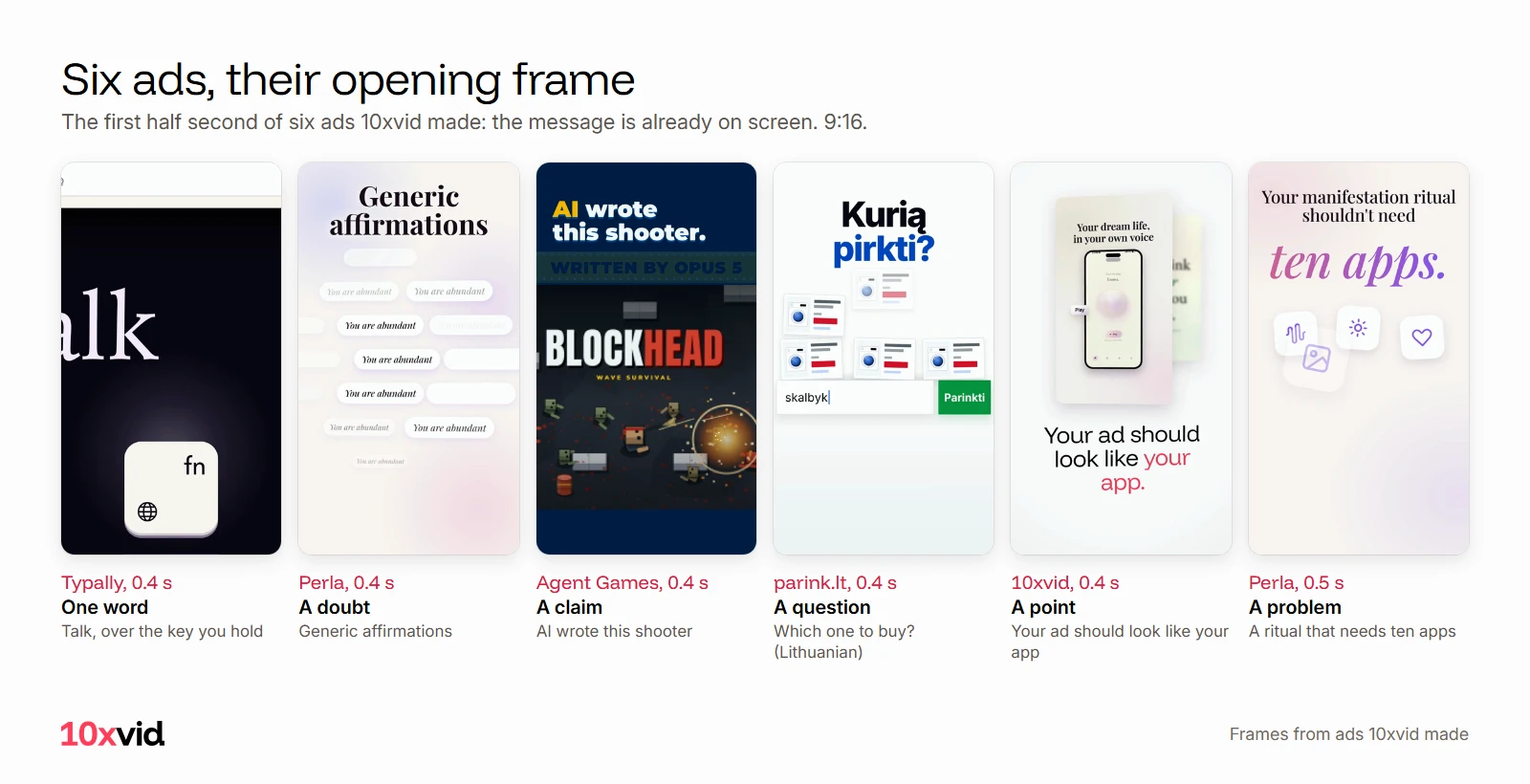
Then make yours from what you have: your app's real screens, your own offer, a first line about your own viewer. Here are six of our ads at their first half second, each opening on its own line:
With 10xvid, paste your App Store link or website into the chat. It reads your site and writes a blueprint: who the ad is for, the story in order, why they act, how it looks. Put what you learned into the hook, then press Produce for 9:16, 1:1 and 16:9.6
Where 10xvid fits
10xvid, motion graphics ads for apps, makes the ad after the research, from your own screens and words. Motion V1 reads each film frame by frame and judges it at 8 of 10 before you see it.6 For TikTok's version of this library, see TikTok Creative Center.
The first ad is free, with no card: make your first ad.
Questions about the Meta Ad Library
Is the Meta Ad Library free?
Yes, and open to anyone, with or without a Facebook account.2
Can I see how much a rival spends on ads?
Not for ordinary ads. Spend ranges are shown only for ads about social issues, elections or politics.1
Can I see a rival's old ads?
Only while they run, unless the ads were shown in the EU, where Meta keeps them a year after they stop.41
How quickly do new ads appear in the Ad Library?
Within 24 hours of an ad's first impression.2
- Meta Business Help Center, "About the Meta Ad Library" (facebook.com/business/help/2405092116183307), read on 25 October 2026. ↩
- Meta, Ad Library and its questions (facebook.com/ads/library), read on 25 October 2026. ↩
- Meta Ad Library, search filters, tooltips and an ad entry, United States view (facebook.com/ads/library), read on 25 October 2026. ↩
- Facebook Help Center, "What is the Meta Ad Library and how do I search it?" (facebook.com/help/259468828226154), read on 25 October 2026. ↩
- Meta, Ad Library API questions (facebook.com/ads/library/api), read on 25 October 2026. ↩
- 10xvid.com/engine, read on 25 October 2026. ↩