How to Make a YouTube Ad for Your App, From Its Link
To make a YouTube ad for your app, make a short video in 16:9 and 9:16 and upload it to YouTube. Then run it in a Video or App campaign in Google Ads. Put your point in the first five seconds, because viewers can skip after that.
 How to make a YouTube ad
In short
- The formats: skippable in-stream ads can be skipped after 5 seconds, and bumpers run 6 seconds. Shorts ads play between Shorts in the vertical feed.1
- The shapes: 16:9 at 1920 by 1080 for in-stream, 9:16 at 1080 by 1920 for Shorts, and 1:1 at 1080 by 1080. The video must be on YouTube, public or unlisted.23
- The video: 10xvid makes all three shapes from your app's link, and your first ad is free.4
Which YouTube ad format should an app use?
Start with skippable in-stream for the main ad and Shorts for the vertical one. Google's figures, read on 21 October 2026:
| Format | How it plays | Length | Shape |
|---|---|---|---|
| Skippable in-stream | Viewers can skip after 5 seconds | No maximum; 15 to 20 seconds suggested for action15 | 16:9 |
| Non-skippable in-stream | No skip | 15 to 60 seconds, by campaign subtype1 | 16:9 |
| Bumper | No skip | 6 seconds1 | 16:9 |
| In-feed | Beside related videos, in search results, on the mobile home page | No maximum1 | 16:9 |
| Shorts | Between Shorts in the Shorts feed | Under 60 seconds recommended1 | 9:166 |
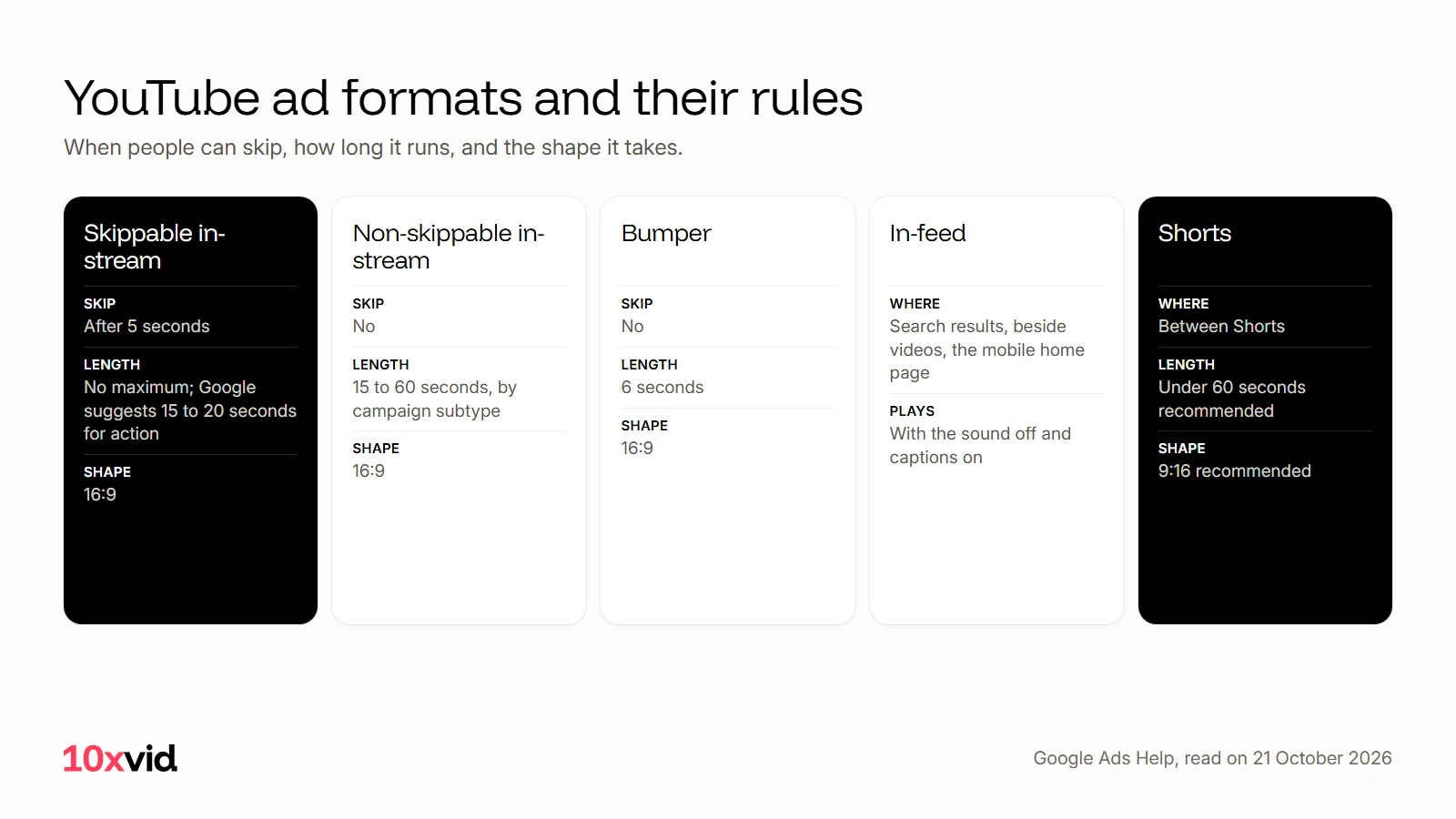
For an app, the goal is usually installs or actions, and Google suggests 15 to 20 seconds for an "Action" goal.5 A 6-second bumper leaves little time to show an app working; it suits a reminder for people who saw the longer ad.
What size and shape should a YouTube ad be?
Make two films, landscape and vertical, and a square one if you run an App campaign.
- 16:9 for in-stream: 1920 by 1080 pixels.2
- 9:16 for Shorts: 1080 by 1920 pixels. Google says "Vertical video assets are recommended for Shorts ads", and a horizontal video "will serve with blurred top and bottoms" there.26
- 1:1 for App campaigns: "Square videos are still recommended for App, Demand Gen and Performance Max campaigns", and "Campaigns may not serve if they only have vertical videos".7
On Shorts, keep your words and button clear of the edges. Google's Shorts page says to avoid "the top 10%, the bottom 25%, and the right-hand 10% of the frame" for critical elements.8
What should happen in the first five seconds?
Your point. After 5 seconds, a skippable ad can be skipped, so the opening has to say what the viewer gets.1 Google's own checklist for video ads, the ABCDs, puts it in four lines:9
- Attention: "Hook and sustain attention with an immersive story."
- Branding: "Brand early, often, and richly."
- Connection: "Help people think or feel something."
- Direction: "Ask them to take action."
For an app, that is one line about the viewer's problem and the app's screen solving it. Your name goes on screen early, and one ask closes it. Google also suggests you "Reinforce your onscreen CTA with voice-over".9
Sound matters most on Shorts. Google says sound in Shorts ads "has been shown to increase conversions by over 20%".6 In-feed ads may start playing with the sound off and captions on, so the words on screen carry them.10
How do you make the video from your app's link?
With 10xvid, paste your App Store link or your website into the chat. It reads the words, the pictures, the logo, the colours and the type. Then it writes the whole ad on one map: who it is for, the story in order, why they act, how it looks.4
Press Produce and choose 16:9, 9:16 and 1:1. Each shape is laid out for its own frame, not cropped from another. It comes as a 1080p MP4 at 30 frames a second, 5 to 30 seconds long. Every film is read frame by frame and judged at 8 of 10 before you see it.4
Here is a vertical one, the shape for Shorts:
How do you put the ad on YouTube and run it?
- Upload the video to YouTube. Google's rule: "Your video must be uploaded to YouTube and set as public or unlisted to use in an ad."3
- Create the campaign in Google Ads. Select New campaign, then the campaign type: Video for in-stream and Shorts, or Demand Gen, which serves on YouTube, Discover, Gmail and the Display Network.1112
- For installs, use an App campaign. App campaigns run across Google's properties, YouTube included, and take videos in landscape, portrait or square, up to 20 of them.1314
Where 10xvid fits
10xvid, motion graphics ads for apps, makes the landscape, vertical and square films for YouTube from one link. They are drawn from your real screens, with music and a voice. Motion V1 Flash makes one in about five minutes.4 For the steps that come before the video, see how to make video ads with AI.
The first ad is free, with no card: make your first ad.
Questions about YouTube ads
How long should a YouTube ad be?
For a skippable in-stream ad aimed at action, Google suggests 15 to 20 seconds. Bumpers are 6 seconds, and Shorts ads under 60 seconds are recommended.51
Do I need a YouTube channel to run a YouTube ad?
Yes, somewhere to upload it: the video must be on YouTube, public or unlisted, before Google Ads can use it.3
What size is a YouTube Shorts ad?
Vertical 9:16, 1080 by 1920 pixels. A horizontal video still runs, with blurred bars above and below.26
Can I use the same video on YouTube, TikTok and Reels?
The vertical one, yes: all three take 9:16. Check each platform's edges before it runs, because each covers a different part of the frame.
- Google Ads Help, "About video ad formats" (support.google.com/google-ads/answer/2375464), read on 21 October 2026. ↩
- Google Ads Help, video ad specs (support.google.com/google-ads/answer/17091270), read on 21 October 2026. ↩
- Google Ads Help, video ads requirements (support.google.com/google-ads/answer/11462260), read on 21 October 2026. ↩
- 10xvid.com/engine, read on 21 October 2026. ↩
- Google Ads Help, video length guidance (support.google.com/google-ads/answer/6055025), read on 21 October 2026. ↩
- Google Ads Help, Shorts ads (support.google.com/google-ads/answer/16041697), read on 21 October 2026. ↩
- Google Ads Help, video aspect ratios (support.google.com/google-ads/answer/9128498), read on 21 October 2026. ↩
- Google, YouTube Shorts ads (business.google.com/us/ad-solutions/youtube-ads/shorts-ads), read on 21 October 2026. ↩
- Google Ads Help, "About the ABCDs of effective video ads" (support.google.com/google-ads/answer/14783551), read on 21 October 2026. ↩
- Google Ads Help, in-feed video ads (support.google.com/google-ads/answer/6227733), read on 21 October 2026. ↩
- Google Ads Help, create a video campaign (support.google.com/google-ads/answer/2375497), read on 21 October 2026. ↩
- Google Ads Help, Demand Gen campaigns (support.google.com/google-ads/answer/13695777), read on 21 October 2026. ↩
- Google Ads Help, App campaigns (support.google.com/google-ads/answer/6247380), read on 21 October 2026. ↩
- Google Ads Help, App campaign video assets (support.google.com/google-ads/answer/9948381 and 17091671), read on 21 October 2026. ↩