How to Make Video Ads With AI (Step by Step, First Ad Free)
To make a video ad with AI, decide where it runs, write the line it opens on and choose what proves it. Then let the tool make the film, and watch it muted on a phone before it runs.
 How to make video ads
In short
- You decide three things no tool can: where the ad runs, the one line it opens on, and the screen that proves it.
- The platforms ask for the same start. TikTok's advice is to introduce what you offer in the first 3 seconds; on YouTube, viewers can skip after 5.12
- The tool makes the film from what you give it. 10xvid makes it from your app's link, and your first ad is free: one finished 15-second video, with no card.3
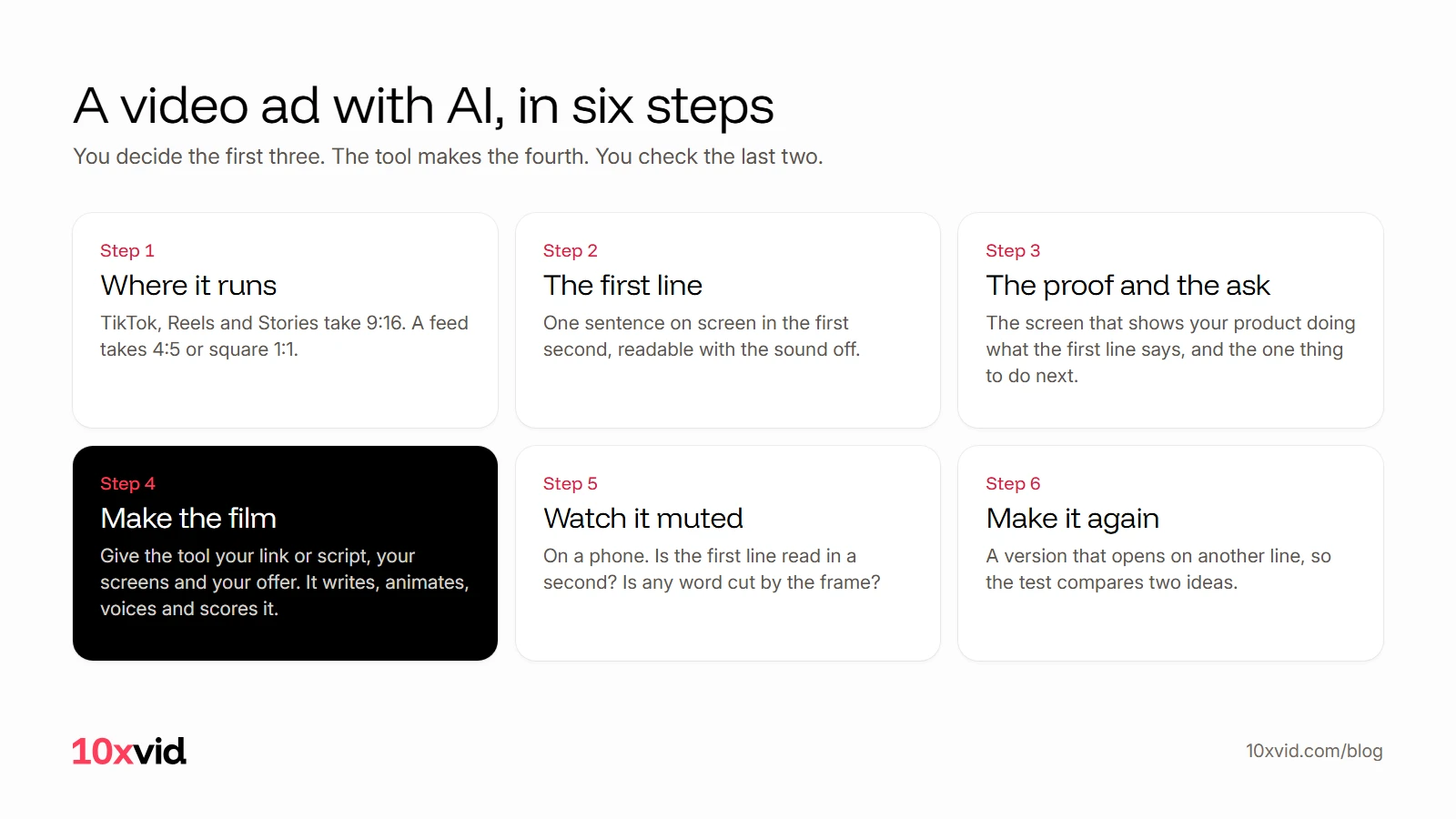
Step 1: Where will the ad run?
Choose the place first, because it sets the shape. TikTok recommends vertical 9:16 for its In-Feed ads, at 540 by 960 pixels or more, and also takes 16:9 and 1:1.4 Meta recommends 9:16 for Reels and Stories, and its feeds take square 1:1 videos as well as 4:5.5
One shape is rarely enough. Make the vertical film for TikTok, Reels and Stories, and a square or 4:5 one for the feed. A tool that lays each shape out for its own frame saves you from words cut off at the edge.
Step 2: What will the first line say?
Write one sentence that says what the viewer gets, and put it on screen in the first second. TikTok's own advice: "Introduce your content proposition in the first 3 seconds" and "Prioritize your hook in the first 6 seconds".1 Google tells video advertisers to "Hook and sustain attention".2
Make it readable with the sound off. TikTok recommends captions or text on screen, and "5-10 words per second" when you use text.1 At that pace, a first line of 8 words gets about a second on screen.
Good first lines name the person and the problem in their words. "You think faster than you type" is one; it opens an ad for Typally, a voice typing app.
Step 3: What will prove it, and what should they do?
Pick the one screen that shows your product doing what the first line says. For an app, that is a real screen: the moment the result appears. Then pick one thing to do next, such as download, play or try it free. Google's advice for the end of a video ad is short: "Ask them to take action."2
These three choices are the ad. Everything after them is making it.
Step 4: How does the AI make the film?
Give the tool what it needs to work from: your link or your script, your screens, and your offer. What happens next depends on the tool. Some generate an AI actor who reads your script; some build a video from your product page; some draw your real screens as motion graphics. AI ad generators, compared shows what each kind puts on screen.
With 10xvid you paste your link into the chat. The agent reads your site: the words, the pictures, the logo, the colours and the type.3
It writes the whole ad on one map, the blueprint: who it is for, the story in order, why they act, how it looks. Your first line and your proof go there. Change any part, or say it in the chat.3
Press Produce, and the film is made in the shapes you chose, 5 to 30 seconds long. Every film is read frame by frame and judged at 8 of 10; one that misses is fixed before you see it.3
Step 5: What do you check before it runs?
Watch it on a phone with the sound off, once, from the start.
- The first second. Is the first line on screen and readable?
- The edges. Is any word or button cut by the frame? TikTok's guide says to "Keep text and captions in safe zones", away from its buttons.6
- The proof. Does the screen that proves it stay long enough to read?
- The end. Is there one clear thing to do, and is your name on screen?
Then watch it once with sound. TikTok's guide says "TikTok is built for sound", so the music and the voice should match what is on screen.6
Step 6: Why make a second version?
One ad tells you little. Two ads that open on different lines tell you which idea people stop for. Keep the proof and the ask, and change the first line.
With a blueprint, that is one change: edit the hook, and a new film is made from the same plan. Every update is kept as a version, so you can go back.3
What do the six steps look like in a real ad?
Here is a 15-second ad 10xvid made for Agent Games, an arcade of games written by AI.
- Where it runs: vertical 9:16, for Reels and TikTok.
- The first line: "Every game here written by AI", over the game tiles.
- The proof: 63 games in the browser, 15 models, and one game's card naming the model and the prompt that wrote it.
- The ask: "Play any of them free. No sign-up." and a Play now button.
Where 10xvid fits
10xvid, motion graphics ads for apps, does step 4 from your link. It reads your site, writes the blueprint with you, and draws the film from your real screens in 9:16, 1:1 and 16:9. You keep the decisions that make the ad yours: the first line, the proof and the ask. Motion V1 Flash does it in one pass of about five minutes.3 There is more on how a link becomes a finished ad.
The first ad is free, with no card: make your first ad.
Questions about making video ads with AI
How long should a video ad be?
TikTok's guide recommends 21 to 34 seconds for most ads, and its In-Feed ads can run up to 10 minutes.64 On YouTube, viewers can skip after 5 seconds, so the first line matters most there.2 10xvid makes films of 5 to 30 seconds; the free first ad is 15.3
Can I make a video ad without filming anything?
Yes. A tool can work from your site, your screens and your words. You need filming only for a real person on camera.
Do I need to write a script?
Not with every tool. Actor tools start from a script you write. 10xvid writes the words from your site, and you change them on the blueprint or in the chat.3
How many ads should I make?
At least two that open differently, so a test compares two ideas, not two versions of one.
- TikTok Ads Manager help, "Creative best practices for performance ads" (ads.tiktok.com/help/article/creative-best-practices), read on 20 October 2026. ↩
- Google Ads Help, "About the ABCDs of effective video ads" (support.google.com/google-ads/answer/14783551) and "About video ad formats" (support.google.com/google-ads/answer/2375464), read on 20 October 2026. ↩
- 10xvid.com/engine and 10xvid.com/pricing, read on 20 October 2026. ↩
- TikTok Ads Manager help, "TikTok Auction In-Feed Ads" (ads.tiktok.com/help/article/tiktok-auction-in-feed-ads), read on 20 October 2026. ↩
- Meta, Ads Guide video specs for Facebook and Instagram Reels, Stories and Feed (facebook.com/business/ads-guide), and Business Help Center, "Aspect ratios for Meta ads" (facebook.com/business/help/682655495435254), read on 20 October 2026. ↩
- TikTok for Business, "Video advertising guide" (ads.tiktok.com/business/en/guides/video-advertising-guide), read on 20 October 2026. ↩