How to promote an app: the store page first, then ads
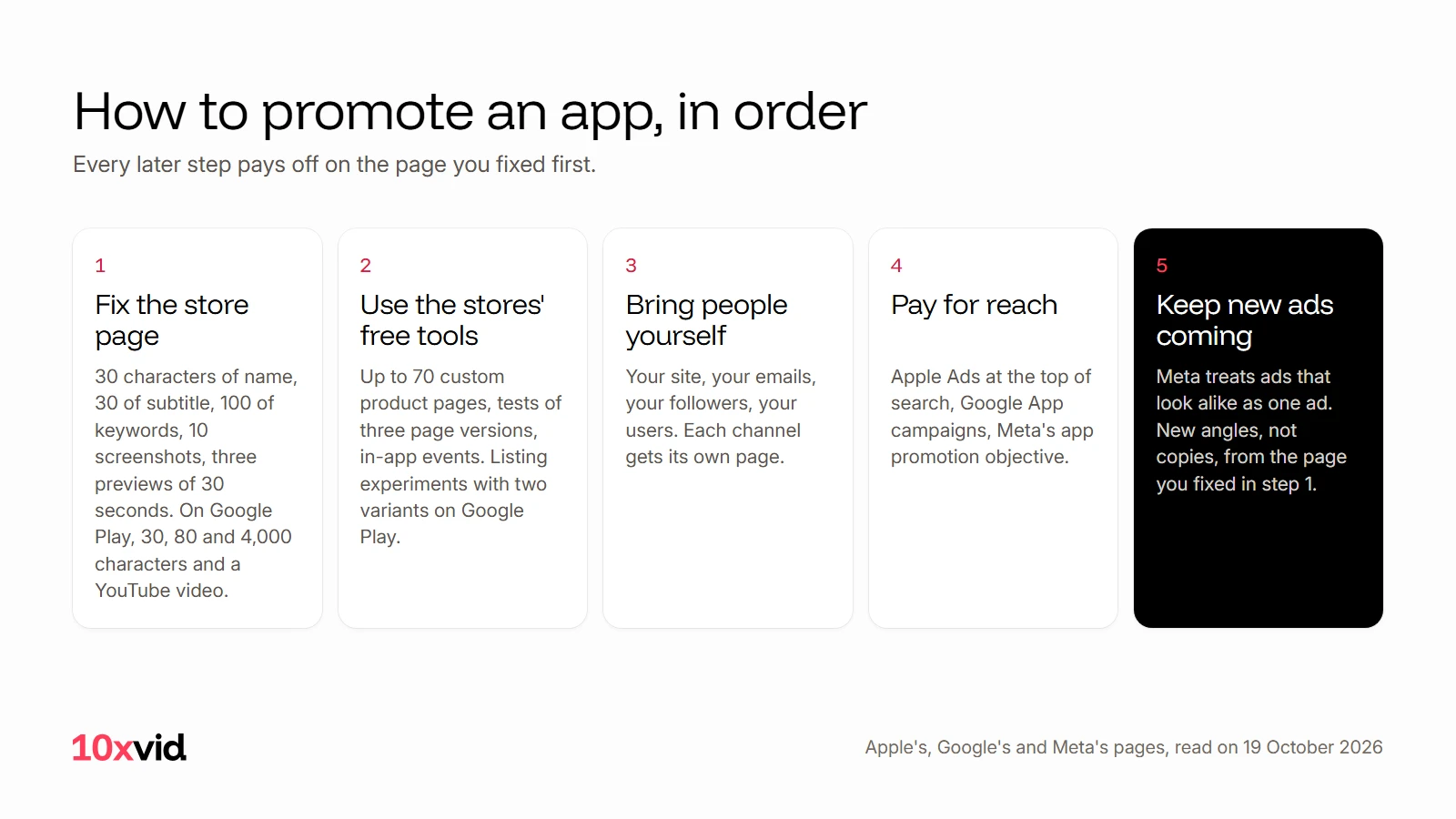
To promote an app, fix the store page first, then use the free placements the stores give you, then send people to that page through your own channels and through ads, and keep new ads coming so the paid part keeps working. The order matters: every later step pays off on the page you fixed first.
 How to promote an app
In short
- The store page: Apple gives you 30 characters of name, 30 of subtitle, 170 of promotional text, 100 of keywords, up to 10 screenshots and up to three previews of 30 seconds. Google Play gives 30, 80 and 4,000 characters, screenshots, a feature graphic and a YouTube video.
- The free tools: on the App Store, up to 70 custom product pages, tests of up to three page versions, and in-app events. On Google Play, store listing experiments with up to two variants.
- Reach you pay for: Apple Ads at the top of App Store search, Google App campaigns across Search, Play, YouTube, Discover and Display, and Meta's app promotion objective.
- What keeps it working: new ads from new angles. Meta treats ads that look alike as one ad.
Where do people find an app?
In store search, on the store's own pages, in ads, and through links you share. Each is a door to the same product page. Apple says previews "display and autoplay on your product page and within search results", and that when there is no preview, "the first one to three images will appear in search results".1 In-app events show in search too, and Apple Ads sit at the top of it.23 Google's App campaigns run on "Search, Google Play, YouTube, Discover on Google Search, and the Google Display Network".4
So the page is where every step ends. Fix it first.
Step 1: Make the store page convert
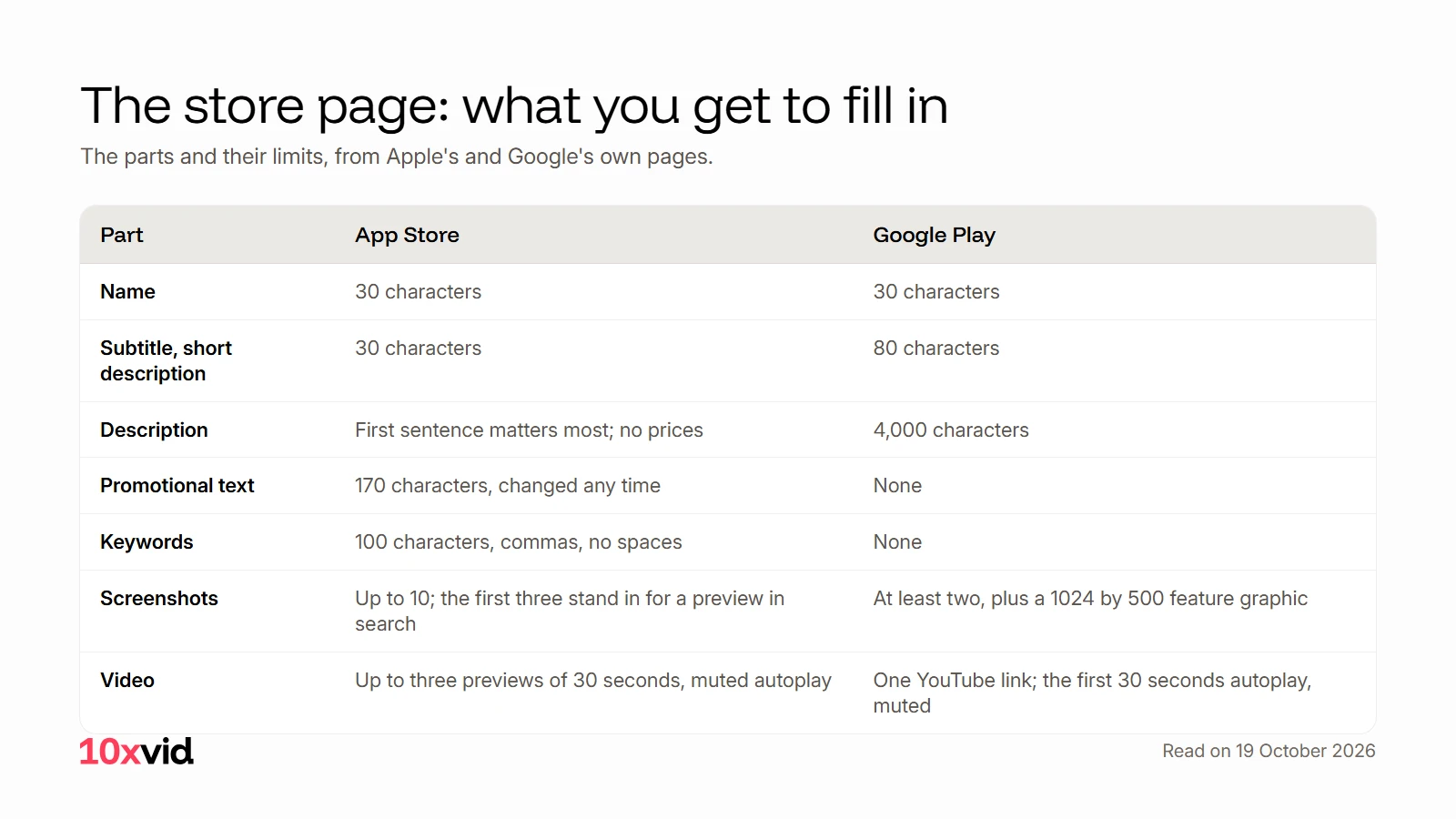
The stores set the limits. Every number here is from Apple's and Google's own pages, read on 19 October 2026.15
| Part | App Store | Google Play |
|---|---|---|
| Name | Up to 30 characters | Up to 30 characters |
| Subtitle or short description | Subtitle, up to 30 characters | Short description, up to 80 characters |
| Description | No limit stated; "The first sentence of your description is the most important" | Up to 4,000 characters |
| Promotional text | Up to 170 characters, changeable "at any time without having to submit a new version" | None |
| Keywords | Up to 100 characters, "separated by commas and no spaces" | None |
| Screenshots | Up to 10 | At least two, to publish |
| Video | Up to three previews, up to 30 seconds each, autoplay muted | One YouTube link; only the first 30 seconds autoplay, muted |
| Other | What's New, in-app purchases, custom product pages | A feature graphic of 1024 by 500 pixels, required |
Three details decide more than the rest. Apple's promotional text "doesn't affect your app's search ranking", so it is for the reader, not for search; the keywords field is. Apple asks you not to put "specific prices" in the description.1 And Google wants the store video to "show the actual in-app or in-game experience" in its first 10 seconds, with "at least 80% of the video" representative of the real app, and without words like "Best", "#1", "Top" or "Download now" on screen.5
Step 2: Use the free tools inside the stores
Both stores give you ways to show different pages to different people and to test what works. None of them cost money.
Custom product pages (App Store). "Up to 70 additional versions of your product page", each with its own URL, with different screenshots, promotional text and previews, and its own keywords. Apple reports that developers "see a 2.5 percentage point increase on average when referring people to a custom product page", against a 1.6% average on default pages; that is Apple's figure, from its own page.6 Give each channel its own page, so what a person saw before the tap is what they see after it.
Product page optimization (App Store). Test "up to three alternate product page versions against your original": icons, screenshots and previews. One test at a time, for up to 90 days, with the traffic split you choose. Apple suggests waiting until a version "has been declared to be performing better or worse than the baseline with at least 90% confidence".7
In-app events (App Store). Timely events with a card that shows on your product page, in search and on the Today, Games and Apps tabs. "Up to 10 events published on the App Store at a time", 15 approved in App Store Connect. They are for "challenges, competitions, or special content launches", not for daily tasks or price promotions.2
Store listing experiments (Google Play). Test the icon, the feature graphic and screenshots, and in localized experiments the descriptions, with up to two variants against the current listing. Google reports which option performs best by confidence interval, and stops an experiment "after running for 6 months".8
Step 3: Bring people yourself
Before paying for reach, use the doors you already own. Your website, your emails, the people who follow you, and the communities you are already part of. Two rules keep this honest: read a community's rules on self-promotion before you post there, and send each place to its own custom product page, so the page matches the promise.
Your existing users are a channel too. Apple's What's New text appears on the product page and in the Updates tab; Apple says to "List new features, content, or functionality in order of importance, and add call-to-action messaging".1
Step 4: Pay for reach where the stores and feeds sell it
Apple Ads. Ads at the top of App Store search results. Apple's own claim for the placement is "Proven conversion rates over 60% for ads at the top of search results", and eligible developers with a new account can "Run ads for free with a 100 USD credit".3
Google App campaigns. You "Provide text, images, videos, and HTML5 assets" and Google builds the ads for Search, Google Play, YouTube, Discover and the Display Network, optimized "to drive specific actions, such as app installs or in-app purchases".4
Meta. "Choose the app promotion objective to promote your app to those most likely to download it." Playable ads give "a short, interactive preview of your app". Measuring installs and in-app purchases takes a developer account, and Meta's guided setup helps implement its SDK and set up App Events.9
Each of these takes the same three things from you: words, pictures and videos in the shapes the place accepts, and a way to measure what happened after the tap.
Step 5: Keep new ads coming
Paid reach wears out an ad, and the fix is not a copy of it. Meta treats ads that look alike as one ad, so a test needs ads that start from different angles.10 This step decides whether step 4 keeps working.
Note the difference between the store video and the ad. Google asks you to keep "Download now" out of the store video; an ad ends on exactly that button.5 The store film shows the app to someone already on your page. The ad brings them there.
10xvid, motion graphics ads for apps, makes the ads from the page you fixed in step 1. Paste your App Store link or website. Motion V1 reads the words, the pictures, the logo, the colours and the type, writes a blueprint of the ad you can change, and draws every frame from your real screens. Each ad comes in 9:16, 1:1 and 16:9, from 5 to 30 seconds, judged at 8 of 10 before you see it, and a company's next ad is told its last three, so no two come out alike. Motion V1 Flash makes a flat motion graphics film in about five minutes.11
The first ad is free, with no card: make your first ad.
What should you leave out?
The stores say what not to do, in their own words.
- No "Best", "#1", "Top", "New", "Discount", "Sale" or "Million Downloads" on screen in a Google Play video, and no "Download now", "Install now" or "Play now".5
- No prices and no dates in an App Store preview, and nothing but the app itself on screen: no hands, no over-the-shoulder shots.12
- No in-app events for "Repetitive activities such as daily tasks or rewards", for price promotions without new content, or for "General promotions that raise awareness about your app".2
- No specific prices in the App Store description, "as pricing and currencies vary across regions".1
Questions about promoting an app
How do I promote an app for free?
Fix the store page within the stores' limits, use their free tools (custom product pages, page tests and in-app events on the App Store, listing experiments on Google Play), and send the people you already reach to a page made for them.15678
How do I get my app noticed in App Store search?
Use the 100 characters of keywords, a subtitle that says what the app does, previews that play in search results, and screenshots whose first three stand in when there is no preview. In-app events show in search as well, and Apple Ads buy the top of it.123
What is a custom product page?
An extra version of your App Store product page with its own URL, different screenshots, promotional text or previews, and its own keywords. An app can have up to 70.6
Do I need a video to promote an app?
Neither store requires one. Apple's previews are optional, and Google Play needs two screenshots and a feature graphic to publish. A video helps where it plays: in App Store search results and on both product pages, where only the first 30 seconds autoplay.15
- Apple Developer, "Creating your product page" (developer.apple.com/app-store/product-page), read on 19 October 2026. ↩
- Apple Developer, "In-App Events" (developer.apple.com/app-store/in-app-events), read on 19 October 2026. ↩
- Apple Ads (ads.apple.com), read on 19 October 2026. ↩
- Google Ads Help, "About App campaigns", read on 19 October 2026. ↩
- Google Play Console Help, "Add preview assets to showcase your app" and "Create and set up your app", read on 19 October 2026. ↩
- Apple Developer, "Custom product pages" (developer.apple.com/app-store/custom-product-pages), read on 19 October 2026. ↩
- Apple Developer, "Product page optimization" (developer.apple.com/app-store/product-page-optimization), read on 19 October 2026. ↩
- Google Play Console Help, "Run store listing experiments", read on 19 October 2026. ↩
- Meta for Developers, "App Ads" (developers.facebook.com/social-technologies/app-ads), read on 19 October 2026. ↩
- 10xvid.com, "Many angles, not many copies", read on 19 October 2026. ↩
- 10xvid.com/engine, read on 19 October 2026. ↩
- Apple Developer, "App Previews" (developer.apple.com/app-store/app-previews), read on 19 October 2026. ↩