App Store preview video: sizes, rules and how to make one
An App Store preview video is a 15 to 30 second recording of your app, captured on the device, that plays muted on your product page. Apple accepts up to three per device size and language, each exported at the size it lists for that screen.
 App Store preview video
In short
- The limits: 15 to 30 seconds, up to three per device size and language, a file of at most 500 MB at up to 30 frames a second.
- The sizes: one file per screen class. Every iPhone from the iPhone X on takes 886 x 1920 in portrait. The 13 inch, 11 inch and 10.5 inch iPads take 1200 x 1600. Mac and Apple TV take 1920 x 1080.
- The content: footage captured on the device, nothing else. No hands on the phone, no prices, no dates. It autoplays muted, so the words have to be on screen.
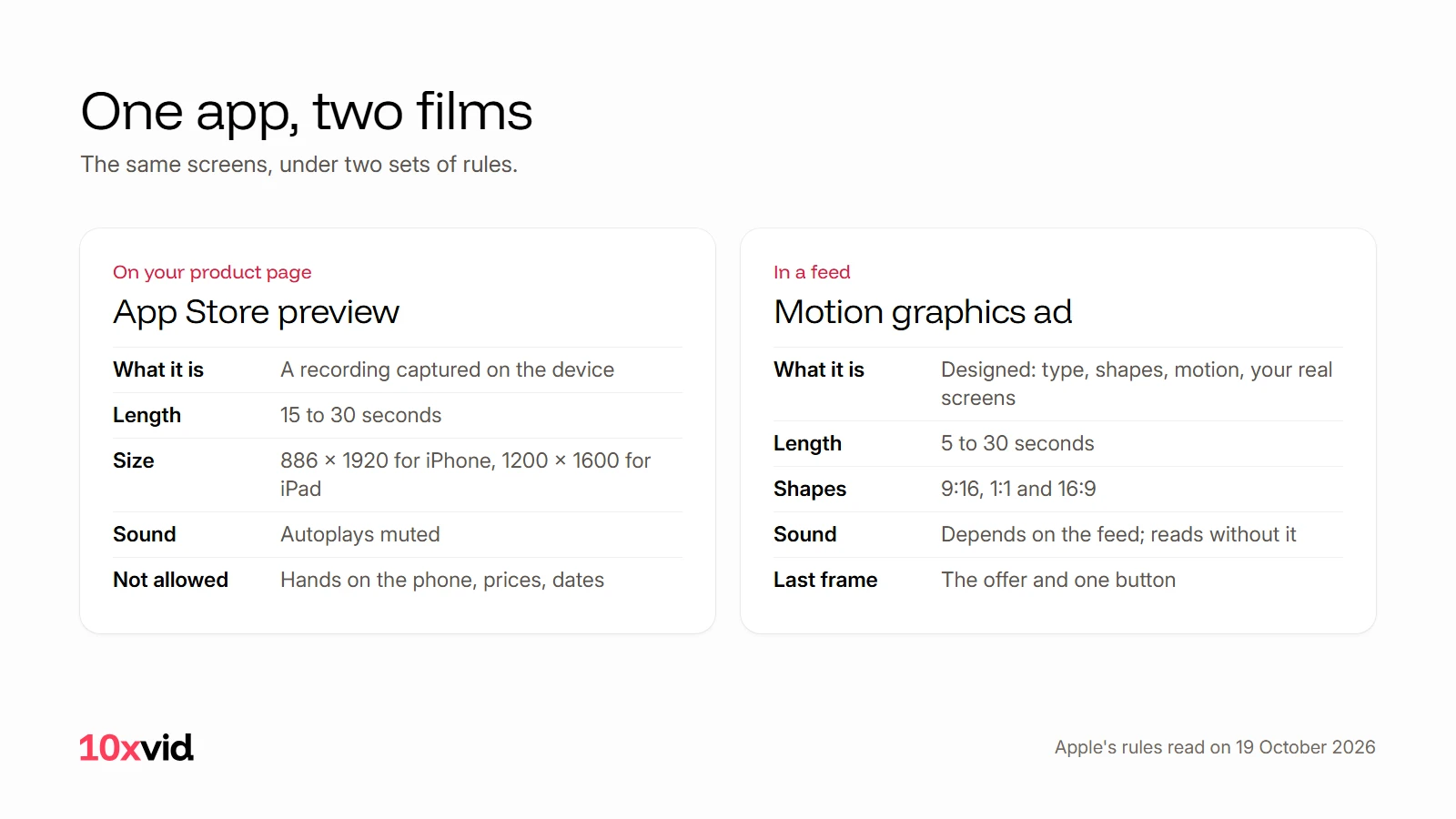
- Preview or ad: a preview is a recording for someone already on your page. An ad is a designed film for someone who has not looked for you yet. The same screens can make both.
What is an App Store preview video?
Apple's definition: app previews "demonstrate the features, functionality, and user interface of your app using footage captured on device".1 They show on your product page and in search results, and they can run in Apple Ads. On iPhone, iPad, Mac and Apple TV a preview always comes before the screenshots.2
"Captured on device" decides the rest. A preview is a recording, not an animation. It is device specific, so every screen class needs its own file. And it plays with the sound off unless the viewer turns it on, which is why Apple suggests on-screen copy "to add additional context to your footage".1
What are Apple's specifications for a preview?
From App Store Connect Help, read on 19 October 2026.2
| Rule | Apple's specification |
|---|---|
| Length | 15 seconds at least, 30 seconds at most |
| Count | Up to three per device size and language |
| File | .mov, .m4v or .mp4 in H.264, or .mov in ProRes 422 HQ; 500 MB at most |
| Frame rate | Up to 30 frames a second |
| Picture | Progressive; H.264 at 10 to 12 Mbps |
| Sound | Stereo, 256 kbps AAC, at 44.1 or 48 kHz |
| Orientation | Portrait or landscape; Mac, Apple TV and Apple Vision Pro in landscape only |
| Poster frame | The frame at 5 seconds, unless you choose another |
| Processing | Up to 24 hours after upload |
Which size does each device need?
Apple groups devices by display and accepts one file size per group. The device's own resolution does not matter; the accepted size does.2
| Screen class | Portrait | Landscape |
|---|---|---|
| iPhone with a Dynamic Island or Face ID (iPhone X and every later model) | 886 x 1920 | 1920 x 886 |
| iPhone with a Home button, 5.5 inch (8 Plus, 7 Plus, 6s Plus, 6 Plus) | 1080 x 1920 | 1920 x 1080 |
| iPhone with a Home button, 4.7 inch (SE 2nd and 3rd generation, 8, 7, 6s, 6) | 750 x 1334 | 1334 x 750 |
| iPad with a 13 inch, 11 inch or 10.5 inch display | 1200 x 1600 | 1600 x 1200 |
| iPad with a 9.7 inch display | 900 x 1200 | 1200 x 900 |
| Mac and Apple TV | not accepted | 1920 x 1080 |
| Apple Vision Pro | not accepted | 3840 x 2160 |
The 4 inch iPhones take 1080 x 1920, and the 3.5 inch ones take no preview at all. When a class has no preview of its own, Apple shows a scaled preview from a neighbouring class.2 So the files to make first are one iPhone file at 886 x 1920 and one iPad file at 1200 x 1600. The rest matter only for apps that sell on those devices.
What can a preview show, and what can it not?
Apple's rules for App Previews, in its words:1
- Only "content within the app itself". "Don't film people interacting with a device, such as an over-the-shoulder angle or fingers tapping the screen."
- "Show more gameplay than cutscenes", so the preview does not mislead.
- "Don't include specific prices, as pricing and currencies vary across regions."
- No "seasonal or timely references that will age your video, such as 'new for spring' or dates".
- A feature behind an in-app purchase, a subscription or a login has to be disclosed, "within the footage or in the end frame".
- Transitions should be "straightforward transitions, like dissolves and fades", and must not imply a function the app lacks.
- Content "appropriate for all ages", and only material you have the right to show.
One more rule hides in the poster frame. When a person has turned autoplay off, they see a still instead of the film. Apple's default is the frame at 5 seconds, and changing the poster frame of an approved preview means submitting that preview again.12 So choose the still before you upload.
How do I make an App Store preview in five steps?
- Choose the moments. 15 to 30 seconds holds four to six screens with a few seconds each. Start with the result the app gives, not with its menu. If you make several previews, Apple asks that "each video shows people something new about your app".1
- Record on the device. Apple names QuickTime Player on a Mac with the iPhone connected.1 Keep the native resolution: Apple recommends "capturing the native UI resolution rather than zooming in on the view".1
- Cut it. Apple names iMovie and Final Cut Pro.1 Trim to between 15 and 30 seconds, and keep the transitions to dissolves and fades.
- Put the words on screen. The preview autoplays muted, so each scene gets a short line that stays up long enough to read. If you add sound, Apple suggests "a single musical score or soundtrack throughout".1
- Export per screen class, choose the poster frame, upload. 886 x 1920 for iPhone and 1200 x 1600 for iPad, in H.264 at 30 frames a second. Pick the frame that stands alone. Upload up to three per language, and allow up to 24 hours of processing.2
How long should it be, and what goes first?
Between 15 and 30 seconds, and the opening carries the film. Apple's product page guidance says previews "autoplay with muted audio" and asks that "the first few seconds of your video are visually compelling".3 Watch the first five seconds with the sound off and ask whether a stranger could say what the app does. The frame at five seconds also becomes the poster frame unless you change it, so it should be a screen that stands on its own.
Preview or ad: which film does your app need?
An app that runs ads needs two films, and the rules keep them apart.
| App Store preview | Ad in a feed | |
|---|---|---|
| Who sees it | Someone already on your product page | Someone scrolling who has not looked for you |
| What it may be | A recording of the app, captured on the device | A designed film: type, shapes, motion and your real screens |
| Length | 15 to 30 seconds | Set by the feed; the examples below run 15 seconds |
| Shape | One file per screen class | 9:16 for Reels and TikTok, 1:1 for feeds, 16:9 for YouTube |
| The last frame | Whatever the recording ends on; no "download now" needed on your own page | The offer and one button |
The film below is an ad, made by our engine for Perla, a wellbeing app. It opens on a headline, strikes through the generic approach, shows the app's real screen in a phone, lists the research behind it, and ends on the offer and a button. It could not be a preview: its type and its motion are designed, not recorded. But every screen in it is the app's own, and those same screens can be recorded for the preview.
Where 10xvid fits
10xvid, motion graphics ads for apps, makes the second film. Paste your App Store link or website, and Motion V1 reads the page, plans the ad on a blueprint you can change, and draws every frame from your real screens and type. It does not generate pixels, so the words stay sharp. Each film comes in 9:16, 1:1 and 16:9 from one run, 5 to 30 seconds long, and is judged at 8 of 10 before you see it. Motion V1 Flash makes a flat motion graphics film in about five minutes.4
It does not make App Store previews. Apple wants footage captured on the device, and ours is drawn. Make the preview with the five steps above, and make the ads from the same link. The first ad is free, with no card: make your first ad.
There is more on how a feed ad is built in how to make an app promo video.
Questions about App Store previews
How many app previews can I have?
Up to three per device size and language, each 15 to 30 seconds long.2
Do App Store previews play with sound?
No. They autoplay muted, and a viewer can turn the sound on. When autoplay is off in a person's settings, they see the poster frame instead.1
What size is an iPhone app preview?
886 x 1920 in portrait, or 1920 x 886 in landscape, for every iPhone from the iPhone X on. Older iPhones with a Home button take 1080 x 1920 or 750 x 1334.2
Can I use my ad as an App Store preview?
Only if it is a recording of the app. Apple requires "footage captured on device" and content "within the app itself", so a film built of designed type, shapes and animation does not qualify. Record the preview, and run the ad in feeds.1
Can I change the poster frame later?
Yes. Changing it on an approved preview means submitting a new version of that preview, and processing takes up to 24 hours.12
- Apple Developer, "App Previews" (developer.apple.com/app-store/app-previews), read on 19 October 2026. ↩
- App Store Connect Help, "App preview specifications", read on 19 October 2026. ↩
- Apple Developer, "Creating your product page" (developer.apple.com/app-store/product-page), read on 19 October 2026. ↩
- 10xvid.com/engine, read on 19 October 2026. ↩