AI motion graphics: what it can and cannot make today
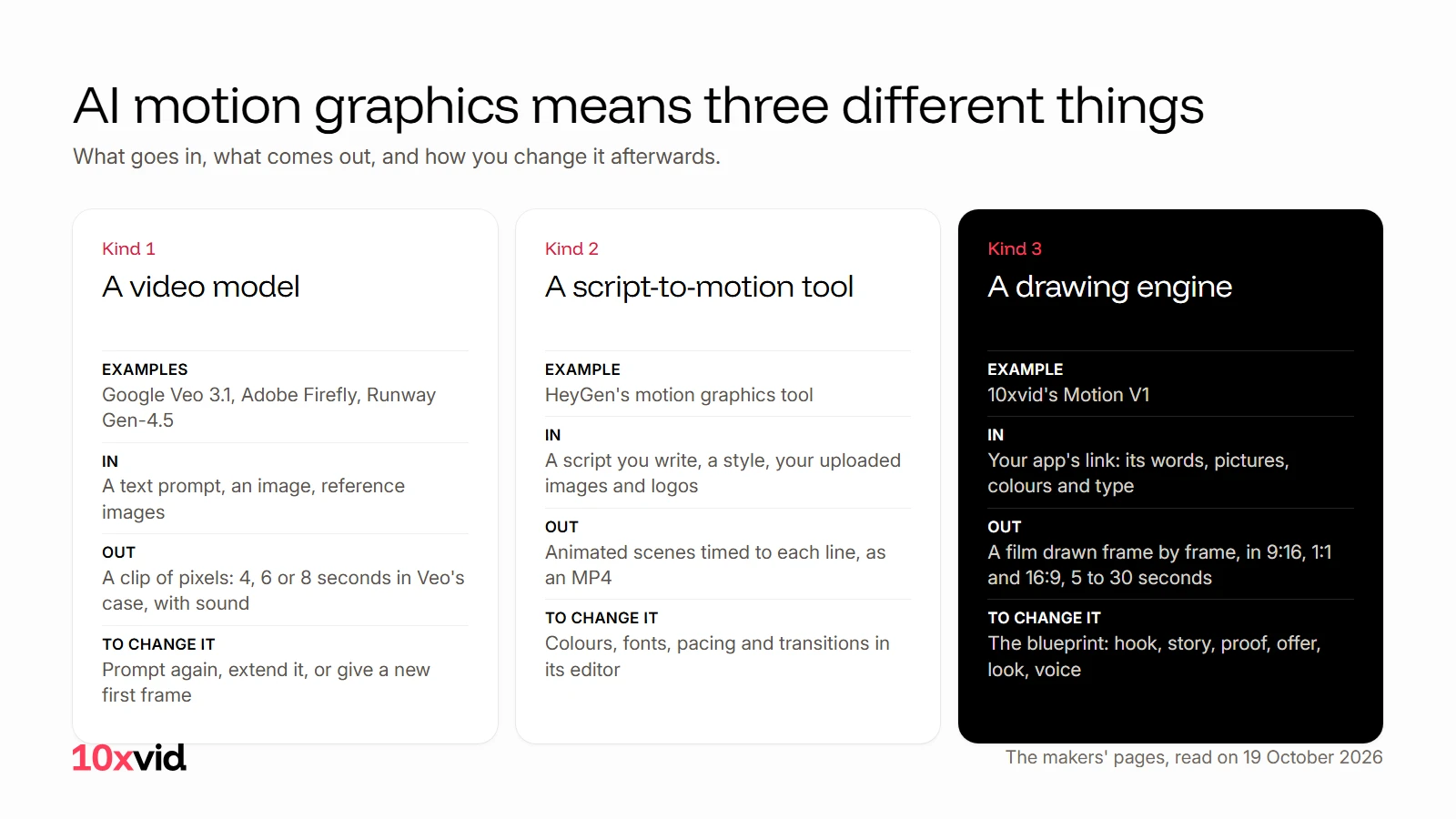
AI motion graphics means one of three things today: a video model that generates a short clip from a prompt, a tool that turns a script into animated scenes, or an engine that drafts and draws a film from your real screens. What comes back is different in each case, and so is what you can change afterwards.
 AI motion graphics
In short
- A video model (Google's Veo 3.1, Adobe Firefly, Runway's Gen-4.5) generates pixels from text or an image. In Veo's case a clip is 4, 6 or 8 seconds, at up to 4K, with sound. You change it by prompting again, extending it or giving it a new first frame.
- A script-to-motion tool (HeyGen's) splits a script you write into scenes, times motion to each line in a style you pick, and lets you adjust colours, fonts and pacing in its editor.
- A drawing engine (10xvid's Motion V1) reads your app's site, writes a blueprint you can change, and draws every frame from your real pictures, colours and type. Words are set as type, so they stay sharp.
- None of them does all three. A generated clip is finished pixels, a script tool needs your script and your assets, and the engine needs a site to read.
What do people mean by AI motion graphics?
Three kinds of tool share the name, and they are built differently. The facts are each maker's own, read on 19 October 2026.
| Kind | What goes in | What comes out | How you change it |
|---|---|---|---|
| A video model | A text prompt, an image, reference images | A clip of pixels, seconds long, with sound | Prompt again, extend it, give a new first frame |
| A script-to-motion tool | A script you write, a style, your uploaded images and logos | Animated scenes timed to each line, as an MP4 | Colours, fonts, pacing and transitions in its editor |
| A drawing engine | Your app's link: its words, pictures, colours and type | A film drawn frame by frame, in three shapes | The blueprint: hook, story, proof, offer, look, voice |
What does a video model make today?
A video model generates every pixel of a clip from your prompt. Three makers' pages say what that clip is.
Google Veo 3.1. In the Gemini API a video is 4, 6 or 8 seconds long. It comes out at 720p by default, or at 1080p and 4K when the clip is 8 seconds, in 16:9 or 9:16, at 24 frames a second, and audio is always generated with it. The prompt is text of up to 1,024 tokens, with an optional image as the first frame, a last frame, or up to three reference images. A finished clip can be extended by 7 seconds at a time, up to 20 times, so a chain can reach 148 seconds, at 720p. A result takes from 11 seconds to 6 minutes and is stored for 2 days.1 Google's own page adds that Veo generates "sound effects, ambient noise, and even dialogue", and that it is available in the Gemini app, Flow, the Gemini API, AI Studio and Google Vids.2
Adobe Firefly. Firefly makes "high-quality video clips from a prompt or image". Its FAQ says "Most models generate clips up to 8 with some allowing up to 15 seconds", downloadable as MP4 "in resolutions up to 4K". A first frame can be uploaded as a JPG or PNG under 50 MB, and a prompt holds up to 1,024 characters. Firefly Standard is US$9.99 a month for "up to 40 five-second videos"; Pro is US$19.99 a month for up to 80.3
Runway Gen-4.5. Runway prices its model by the second: 12 credits per second of Gen-4.5. The Standard plan, US$15 a month, gives 625 credits, which Runway says is "52s of Gen-4.5"; Pro gives 187 seconds for US$35; Max gives 791 seconds for US$95. A free plan carries 125 one-time credits.4
Three things follow for an ad. The unit is a clip of a few seconds, so a 20-second ad is several clips or an extension. The price is per second generated, whether you keep the clip or not. And what the pages describe as the way to change a result is a new prompt, an extension, or a new first frame.
What does a script-to-motion tool make?
HeyGen's motion graphics tool starts from words: "Type a script, pick a style, and get a polished animated video in minutes." It "splits it into scenes and times motion to every line automatically". You choose a motion style, an aspect ratio and a layout, upload "your bitmap images, vector logos, and illustrations", and then "Adjust colors, fonts, backgrounds, pacing, and transitions in the editor, no keyframes involved". It exports an MP4, with 4K and longer videos on the paid plans, which start at US$24 a month after a free plan.5
The script and the assets are yours to bring. The tool times and styles them.
What does a drawing engine make?
Motion V1, the engine behind every 10xvid ad, starts from a link. It reads the site's words, pictures, logo, colours and type, finds who the ad is for and the one idea that sells it, and writes that on a blueprint you can change part by part. Then it draws every frame from the real pictures and type it found. It does not generate pixels, which is why the words stay sharp and the product looks like itself.6
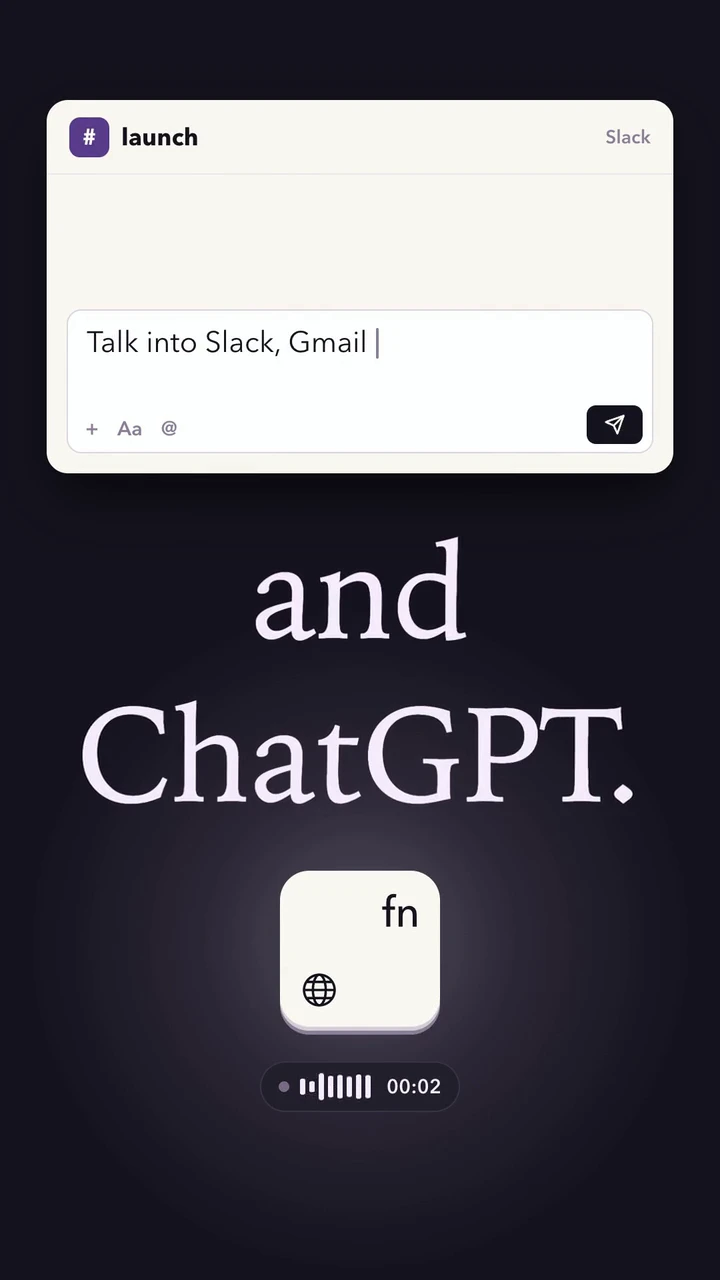
What comes out: a film in 9:16, 1:1 and 16:9 from one run, 5 to 30 seconds long, as a 1080p MP4 at 30 frames a second, in one of a hundred styles or the site's own look, with music and a voice. Every film is read frame by frame and judged at 8 of 10 beside the ads that set the bar; one that misses is fixed before you see it. Motion V1 Flash does one pass in about five minutes and makes a flat motion graphics film. Claude, Anthropic's AI model, does part of the research and the writing inside Motion V1.6
What can each of them not do yet?
By the makers' own pages, each kind has an edge.
- A video model gives you a clip, not a file you can edit. Veo's documented ways to change a result are a new prompt, an extension, or a first and last frame; its clips are 4 to 8 seconds, and the longest chain is 148 seconds at 720p.1 Firefly's models make up to 8 seconds, some up to 15.3 The pages say nothing about changing a finished clip's words or layout afterwards.
- A script tool needs the script and the pictures from you. HeyGen animates the copy you drop in and the images, logos and illustrations you upload.5 Your product's real screens are in the film only if you bring them.
- A drawing engine needs a site to read. With 10xvid, "Every film starts from a site it has read, never from a blank prompt", and it uses the pictures the site shows, so "a physical product needs its own photos there". Motion V1 uses no avatars and no stock footage, writes in the language of the site, and makes films of 5 to 30 seconds. The UGC style is the one with a generated presenter.6
Which kind should you use?
Choose by what you have and by what you will need to change.
- You have a mood, a scene or a shot that would be hard to film, and you will accept what comes back or prompt again: a video model.
- You have a script and brand assets, and you want to time and style them yourself: a script-to-motion tool.
- You have an app with a website or an App Store page, and you will want to change the hook, the offer or the look later and get a new version: a drawing engine.
For an ad for an app, the third fits, because the screens, the words and the offer already exist on the site, and the ad is made again whenever one of them changes.
Where 10xvid fits
10xvid, motion graphics ads for apps, is the third kind. Paste your App Store link or website, and Motion V1 reads the page, writes the blueprint and draws the ad from your real screens in three shapes. Say what to change in the chat, or change the blueprint, and the film is made again from it. The first ad is free, with no card: make your first ad.
There is more on how the engine works in the engine's own page and in how the quality gate works.
Questions about AI motion graphics
What is an AI motion graphics generator?
Usually a script-to-motion tool: you type the script, pick a style, and it times animated scenes to each line. HeyGen's page describes it that way. A video model is also called one, though it generates pixels from a prompt rather than animating your words.51
How long can an AI-generated video be?
By the makers' pages: Veo 3.1 makes 4, 6 or 8 second clips and can chain extensions to 148 seconds at 720p; Firefly's models make up to 8 seconds, some up to 15; 10xvid makes films of 5 to 30 seconds.136
Can AI motion graphics use my product's real screens?
A video model takes an image as a first frame or as a reference. A script tool uses the images you upload. A drawing engine reads them from your site and draws the film from them.156
Does AI motion graphics keep text sharp?
In a drawing engine, yes: the words are set as type and drawn, not painted, so they stay sharp at any size. The video models' pages we read say nothing about how they render text, so test them with your own words before you rely on it.6
- Google, Gemini API documentation, "Generate videos with Veo" (ai.google.dev/gemini-api/docs/veo), read on 19 October 2026. ↩
- Google DeepMind, "Veo" (deepmind.google/models/veo), read on 19 October 2026. ↩
- Adobe, "Firefly AI video generator" (adobe.com/products/firefly/features/ai-video-generator.html), read on 19 October 2026. ↩
- Runway, pricing page (runway.com/pricing), read on 19 October 2026. ↩
- HeyGen, "AI motion graphics" tool page (heygen.com/tool/ai-motion-graphics), read on 19 October 2026. ↩
- 10xvid.com/engine, read on 19 October 2026; the UGC style as it says on 22 October 2026. ↩