Product Launch Video: How to Make One for Your App Launch
A product launch video is the short film that tells people your app is out, and what it does. On launch day it can play in at least six places, and they want different things. The stores want a demo that will not date. Product Hunt, X, LinkedIn and YouTube want the news. These are each place's own pages, read on 29 October 2026.123
 App launch video
In short
- Two videos, two jobs: a store preview that shows the app, and a launch video that announces it.23
- The stores: Apple wants 15 to 30 second previews of "only content within the app itself". Google Play asks for no "New" and no calls to action.243
- Before the day: App Store pre-orders open 2 to 180 days ahead, Google Play pre-registration up to 90 days.56
- Product Hunt: "About 53% of products that reached Product of the Day since 2021 include a video".1
- Length: 15 to 30 seconds is the range Google and LinkedIn both suggest for their ads.78
Where does a launch video play on launch day?
In more places than one. Each has its own rules:
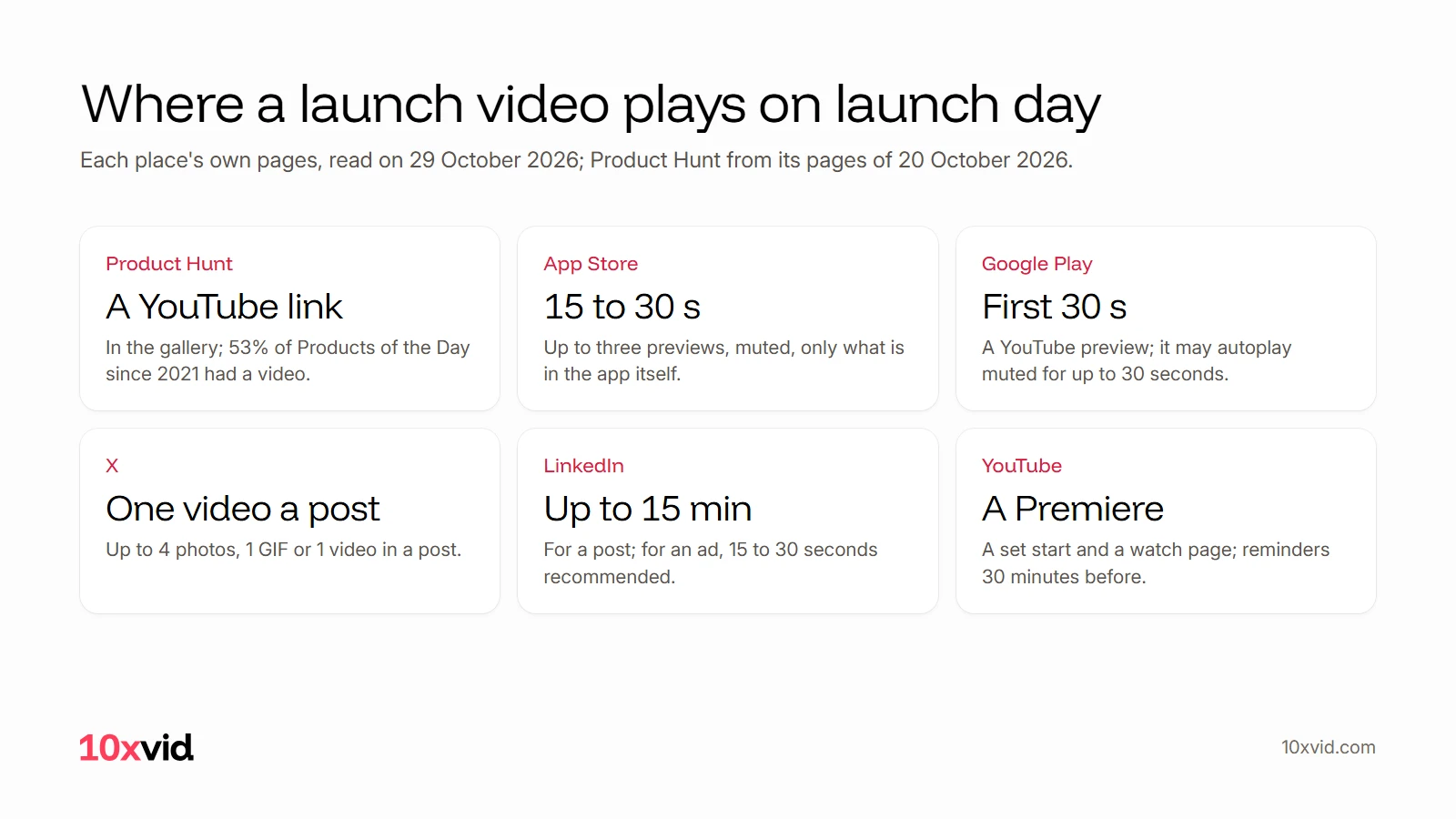
- Product Hunt: in the launch gallery, as a YouTube link. "For uploading, only YouTube links are supported."1
- The App Store: "You can have up to three app previews for each language your app supports, and each preview can be up to 30 seconds long."2
- Google Play: one preview video from YouTube, which "may autoplay inline with muted audio up to 30 seconds".3
- X: "You may attach up to 4 photos, 1 animated GIF or 1 video in a Post."9
- LinkedIn: a post's video can run up to 15 minutes; for ads, LinkedIn recommends 15 to 30 seconds.108
- YouTube: a Premiere, with a set start time and a watch page people can set reminders on.11
What can a store video say on launch day?
Less than you think. The stores want a demo that stays true after the launch:
- Apple: "Avoid any seasonal or timely references that will age your video". And: "Don’t include specific prices, as pricing and currencies vary across regions."2
- Apple: previews "may only use video screen captures of the app itself", with narration or text over them allowed.4
- Google Play: no words like "New" or "Sale" in the video, and "Do not use call-to-actions" such as "Download now".3
- Google Play: "Show the actual in-app or in-game experience, focusing on the core features and content as early as possible within the first 10 seconds of the video."3
So the store preview shows the app working, and the "we are live" video goes everywhere else.
What should you switch on before launch day?
The pre-launch pages, so launch day has people waiting:
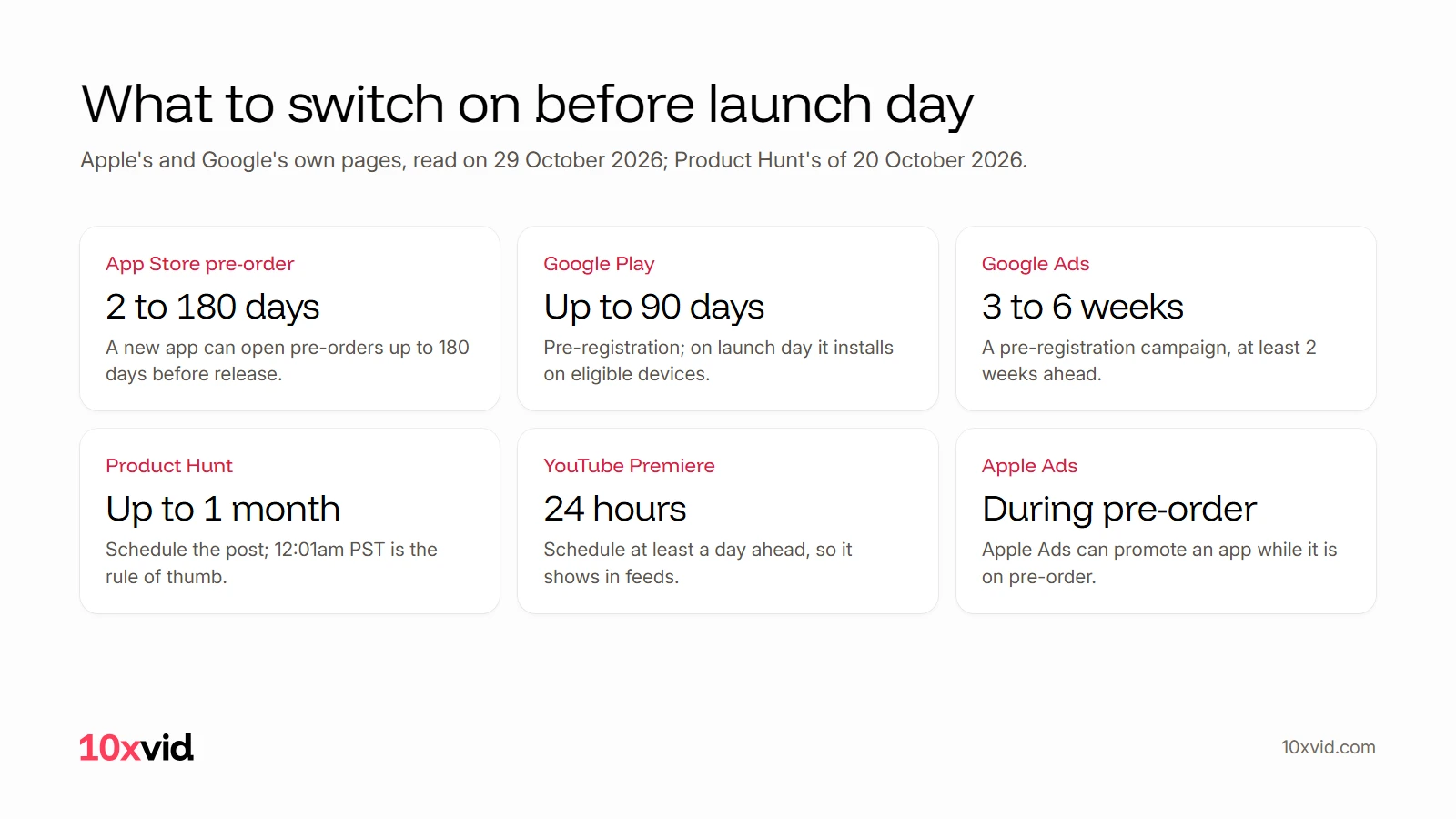
- App Store pre-order: "People can order your app before it’s released, and it’ll automatically download onto their devices on release day." A new app's release day can be 2 to 180 days after the pre-order opens.5
- Apple Ads: "Additionally, you can use Apple Ads to promote your app while it’s available for pre-order."5
- Google Play pre-registration: on launch day, "Eligible devices also have the app or game auto installed". A campaign can last 90 days at most.6
- Google Ads: "Turn on pre-registration before your pre-launch marketing begins, at least 2 weeks in advance. For most campaigns, 3 to 6 weeks is enough."12
Should you launch on Product Hunt with a video?
Most top launches do. Product Hunt's own count: "About 53% of products that reached Product of the Day since 2021 include a video".1 It also says a video is not always necessary, and suggests a quick demo in a tool like Loom when there is no budget.1
Its timing advice: "a rule of thumb is to schedule your launch for 12:01am PST", and "you can schedule your post up to 1 month ahead". Products launched on a weekend get 15% more Visit clicks than on weekdays, by its own numbers.1
How long should a launch video be?
Short. 15 to 30 seconds fits almost every place:
- App Store: 15 seconds at the least, 30 at the most.13
- Google Play: only the first 30 seconds autoplay.3
- Google Ads, for pre-registration: "a range between 15-30 seconds in length is a good starting point".7
- LinkedIn ads: "We recommend uploading videos that are 15-30 seconds long".8
Make a longer cut for YouTube if the story needs it. LinkedIn's own advice holds for all of them: "Think like a silent film director", because many people watch with the sound off.14
How do you make a product launch video?
Five steps:
- Write the one line: what the app does for the viewer, in a sentence. It is the first line on screen. See video ad hooks.
- Show the app working within the first 10 seconds, on its real screens.3
- End on one ask: pre-order, pre-register, or try it, depending on the place.
- Make the shapes: 9:16 for phones, 1:1 and 16:9 for feeds and YouTube.
- Upload early: Product Hunt and Google Play take the video as a YouTube link.13
Where 10xvid fits
10xvid, motion graphics ads for apps, makes the launch video from your link. It runs 5 to 30 seconds, in 9:16, 1:1 and 16:9, drawn from your real app screens.15 Use it on Product Hunt, X, LinkedIn, YouTube and in your pre-registration ads.
For the App Store preview itself, Apple asks for screen captures of the app, so record those in the app.4 For the promo video that runs after launch, see app promo video. Paste your link and make your first ad.
Questions about product launch videos
How long should an app launch video be?
15 to 30 seconds. Apple's previews run 15 to 30 seconds, and Google and LinkedIn suggest the same range for ads.1378
Can my App Store preview say "new" or show the price?
Apple says to avoid timely references and specific prices. Google Play asks for no "New" and no calls to action in its preview.23
Do I need a video for Product Hunt?
Not always, by Product Hunt's own word, but about 53% of Products of the Day since 2021 had one.1
Can people sign up before my app launches?
Yes: App Store pre-orders and Google Play pre-registration both install the app on launch day.56
- Product Hunt, "Preparing for launch" (producthunt.com/launch/preparing-for-launch). producthunt.com refused our reader on 29 October 2026, so it was read in the Internet Archive's copy of 20 October 2026. ↩
- Apple Developer, "App previews" (developer.apple.com/app-store/app-previews), read on 29 October 2026. ↩
- Play Console Help, preview assets (support.google.com/googleplay/android-developer/answer/9866151), read on 29 October 2026. ↩
- Apple, "App Review Guidelines" (developer.apple.com/app-store/review/guidelines), 2.3.4, read on 29 October 2026. ↩
- Apple Developer, "Pre-orders" (developer.apple.com/app-store/pre-orders), read on 29 October 2026. ↩
- Play Console Help, pre-registration (support.google.com/googleplay/android-developer/answer/9859047), read on 29 October 2026. ↩
- Google Ads Help, creating an App campaign for pre-registration (support.google.com/google-ads/answer/9441180), read on 29 October 2026. ↩
- LinkedIn Help, video ads specs (linkedin.com/help/lms/answer/a424737), read on 29 October 2026. ↩
- X Developer docs, media best practices (docs.x.com/x-api/media/quickstart/best-practices), read on 29 October 2026. ↩
- LinkedIn Help, sharing a video (linkedin.com/help/linkedin/answer/a548372), read on 29 October 2026. ↩
- YouTube Help, Premieres (support.google.com/youtube/answer/9080341), read on 29 October 2026. ↩
- Google Ads Help, App campaigns for pre-registration (support.google.com/google-ads/answer/9441344), read on 29 October 2026. ↩
- App Store Connect Help, app preview specifications (developer.apple.com/help/app-store-connect/reference/app-information/app-preview-specifications), read on 29 October 2026. ↩
- LinkedIn Marketing Solutions, video ads tips (business.linkedin.com/advertise/ads/sponsored-content/video-ads/tips), read on 29 October 2026. ↩
- 10xvid.com/engine, read on 29 October 2026. ↩